


Clearfy-Cache – WordPress Optimierungs-Plugin, Minify HTML, CSS & JS, Defer
Optimize and tweak WordPress by disable unused features. Improve performance, SEO and security using Clearfy — super easy, fast and zero code.

Solide Wahl
Clearfy Cache is a solid plugin choice in 2026, with a few things worth checking first. It runs on 40K+ sites, is rated 4.7/5 and was last updated 4 months ago, and scores 68/100 on our health check.
- Bewährt auf 40.000 aktiven Standorten
- Von Benutzern geliebt — 4,7/5 aus 339 Bewertungen
- Nur getestet bis WordPress 6.9 (letzt ist 7.1)
Wie stapelt es sich?
Side-by-side bei Installationen, Updates, Bewertungen und Support



Tägliche Downloads
Download-Spitzen folgen normalerweise einer neuen Version - jede Website, die automatisch aktualisiert wird, gilt als Download.
Ranglisten
Where Clearfy Cache stands todayWordPress.org Ranglisten suchen
Live-Position in der Plugin-Suche, Top 100| Stichwort | Position |
|---|---|
| Zwischenspeicher | #52 |
| minify | #11 |
| Optimieren | #90 |
| Seitengeschwindigkeit | #35 |
| Performance | >100 |
Versionsübernahme
Anteil aktiver Sites pro Release.
Bewertungsaufschlüsselung
★★★★★★★★★★ 4.7 from 339 reviews
About Clearfy Cache
From the official readme · v2.4.3Beschreibung
Clearfy Cache is no longer under active development. We recommend using Super Page Cache as it provides a more powerful and modern caching solution for WordPress.
In October 2025, Clearfy Cache was acquired by Super Page Cache. We’re retiring Clearfy Cache in favor of Super Page Cache to ensure users have access to the best performance optimization features, improved compatibility, and a superior user experience.
Thousands of users already optimized their WordPress sites with Clearfy plugin. It’s multipurpose and free tool with tons of settings. Combine it with other plugins and you’ll get better optimized and secure WordPress website.
Optimize SEO and SPEED of your website in 5 minutes
- Clear website code from trash;
- Eliminate the WordPress vulnerabilities;
- Speed up search engine indexing;
- Fix another plugin’s bugs;
- Make your WordPress easier, more convenient and faster.
You’ll get 50+ useful functions for your WordPress website optimization, mixed and packed into the only one Clearfy plugin. In addition, we have quality video lessons and tutorials that will help you to understand plugin settings. But don’t hurry to download Clearfy until you know its history and strengths.
WordPress optimization plugin Clearfy — the beginning
We create plugins, themes and customer’s projects more than 8 years. Every time, we faced the same problem — each project is unique and do not need all WordPress functions which continued to consume hosting resources, make SEO problems and interfered with daily work. To fix this we used our prepared code snippets and wasted many time for theirs testing and revisions. Therefore, we decided to create universal plugin to speed up our work. Using all of our skills, we collected them into one WordPress plugin called Clearfy. Initially we used optimization plugin for customer’s projects and ours but later we understood that problem is global so we shared plugin for you absolutely free.
Maybe you know the situations when you need to remove extra code, widget or delete duplicate pages on your website. Sometimes you inserted code snippets, which you have found in web by yourself or spent big money with freelancers. Now you have excellent opportunity to optimize WordPress with Clarify plugin and not waste your time at specialists or use doubtful solutions.
How Clearfy will improve WordPress SEO
Based on users’ feedback, who optimized WordPress with Clearfy plugin, there is good performance growth at the Pingdom, GTmetrix, Google PageSpeed Insights and YSlow services.
In addition, we observed important features:
- the page indexing of websites, blogs and online stores has improved;
- the pages became better ranking by search engines after duplicates deletion;
- websites became cleaner for search engines that was improved SEO and traffic.
Do you want the same or better? Download Clearfy for free and see for yourself! Configuring the plugin takes only 5-10 minutes. Just think how long it would be take you to find and configure all optimization scripts, plugins, if you had not the all in one solution Clearfy.
More than 50 Clearfy plugin features for WordPress optimization
PAGE CACHING
Clearfy Cache is a simple, yet powerful WordPress caching plugin that is easy to use, needs minimal configuration, and best of all helps improve site performance for a faster load time. It creates static HTML files of frontend pages and stores them on the server’s disk. This allows the static HTML files to be delivered instead of generating pages on the fly, avoiding resource intensive backend processes from the WordPress core, plugins, and database.
HOW DOES THE CACHING WORK? Clearfy Cache captures page contents and saves it as a static HTML file on the server’s disk. The static HTML file created can be one of several possible cache versions depending on the plugin settings and HTTP request. Accepted static HTML files are then delivered without any database queries or on the fly compression, allowing for a quicker page load.
- **Enable Cache
- **Browser Caching (PRO)
- **Mobile Cache (PRO)
- **Widget Cache (PRO)
PERFORMANCE OPTIMIZATION
- Minify HTML — compresses the code, speeds up the website loading.
- Minify CSS — you can decrease the size of css files
- Minify JS — you can decrease the size of css files
- Critical CSS — Add CSS files or CSS code to the critical section so that it connects at the very beginning of the page.
- **Defer JS & CSS
Code cleanup
- Disable RSS Feeds — disables RSS if you using WordPress for website only, not for blog.
- Disable Emojis — emojis generates extra code and slow down the site, even if you did not put any smiley.
- Remove jQuery Migrate — if you use several popular plugins that are regularly updates, then you can safely delete jQuery Migrate.
- Disable Embeds — if you do not insert videos into the posts or pages, turn embeds off.
- Remove dns-prefetch — may improve image loading in some cases.
- Remove RSD link — if you create posts and pages inside WordPress then you do not need the Real Simple Discovery function.
- Remove wlwmanifest Link — if you publish posts and pages via WordPress interface, 99% this function is not necessary for you.
- Remove Shortlink — if you use permalinks, you do not need the shortlinks.
- Remove Previous/Next Post Link in HEAD — delete previous and next post links if you do not use the blog.
- Remove .recentcomments Styles — remove if you want to change the “Related posts” widget styles.
WordPress SEO optimization
- Automatically insert the alt attribute — sets the alt attribute for all images in posts and pages, if alt is absent.
- Create the Correct robots.txt — helps to create the perfect Robots.txt to improve the indexing or close that would not be indexed.
- Insert the Last Modified Header Automatically — it helps search engines to understand which posts and pages are modified last and index them first.
- Return If-Modified-Since Header — improves indexing telling to search engines that pages and posts have changed.
- Remove Post Title from Yoast SEO Breadcrumbs — cuts out the title from breadcrumbs at pages or posts.
- Remove image:image tag from the Yoast SEO XML Sitemap — eliminates the site map errors at the Yandex Webmaster.
- Disable Schema JSON-LD — forbids Google to generate advanced search snippet with website page links.
- Disable SEO Yoast’s Structured Data — disables structured company data generated by Yoast SEO.
- Remove Yoast SEO Comments from Head Section — removes data from the code, which tells that your website is optimized by Yoast SEO plugin.
Remove WordPress page duplicates
- Remove Date Archives — completely removes the date archives and sets the redirect to front-page.
- Remove Author Archives — completely removes the author archives and sets the redirect to front-page. It is useful if the site’s author is single.
- Remove Tags Archives — removes tag archives and redirects to front-page.
- Remove Attachment’s Pages — by default, each media file has its own page. Clearfy removes them and redirects to the page or post into which this media file was inserted.
- Remove Posts Pagination — page navigation is not needed with a single post. It is better to delete it and make some posts.
- Remove ?replytocom — eliminates the posts comments duplicates.
WordPress privacy settings
- Remove Generator Meta Tag — version info remove.
- Remove Style Files Version — complicates the process if someone wants to hack your site.
- Remove Javascript Files Version — it is more difficult to determine the version of installed plugins and hack the site.
- Remove Querystrings — helps with the caching of JS and CSS and increase the speed of website load.
- Remove HTML Comments — hacker cannot determine versions of themes and plugins by comments in the code.
WordPress defense
- Hide Author’s Login — complicates the hacking process. It’s more difficult to find out your login for hacker.
- Hide WordPress Login Error Messages — the attacker does not understand what he entered incorrectly, login or password.
- Disable XML-RPC — disable pingbacks and trackbacks.
- Disable X-Pingback Link — removes the link and the ability to spam with pingbacks.
WordPress widgets
- WP Widgets Disable — removes WordPress widgets, all or selectively (Links, Archives, Meta, Search, etc.)
WordPress updates: core, plugins, themes
- Automatic Plugins Updates — turn it on and you no longer need to think about plugins updates.
- Disable Plugins Updates — disables plugins updates and updates notices. You can disable updates of all plugins or each individually.
- Automatic Themes Updates — all of your themes will update automatically.
- Disable Themes Updates — all of your themes will stop to update and notify about updates.
- Disable Translation Updates — disables automatic translation updates for themes and plugins.
- WordPress Automatic Updates — your WordPress will be update automatically.
- Disable WordPress Updates — completely disables WordPress updates.
- Disable Update Notifications — users without permissions to update themes, plugins and WordPress will not receive updates notifications.
WordPress comments
- Disable Comments — allows you to completely disable WordPress comments overall or for selected post types.
- Remove Comments / Delete Comments — completely removes WordPress comments.
- Close Comments — completely closes WordPress comments and removes the “Comments” section from the left menu.
- Remove URL / Website Field from Comment Form — removes a comment author Website field.
- Replace Outbound Links in Comments with Javascript — all external links in comments are reliably closes from search engines indexing.
- Replace Outbound Links of Comment Authors with Javascript — search engines no longer index links to the comment author’s site.
Admin notices, WordPress updates notifications
- Disable Admin Notices — hides all or selected notifications of the WordPress admin.
Heartbeat API optimization
- Disable WordPress Heartbeat API — completely disables the Heartbeat API WordPress function.
- Limit WordPress Heartbeat API — limit the frequency of Heartbeat API requests.
WordPress admin bar optimization
- Remove, Hide or Disable top Admin Bar — completely disables Admin Bar when browsing the website.
- Remove WP Logo from Admin Bar — removes the WordPress logo, eliminates accidentally clicking on it.
- Replace “Howdy” with “Welcome” — changes the text of the greetings WordPress for greater presentability and respectful treatment.
WordPress posts optimization
- Disable Revisions — completely disables posts/pages revisions.
- Limit Revisions — limits the number of revisions per post/page.
- Disable Autosave — disables autosaves when editing posts and pages.
- Remove Smart Quotes — disables automatic insertion of “typographic quotes”.
- Remove Auto Paragraph (Wpautop) — disables texts auto-formatting.
WordPress scripts and styles manager (assets manager)
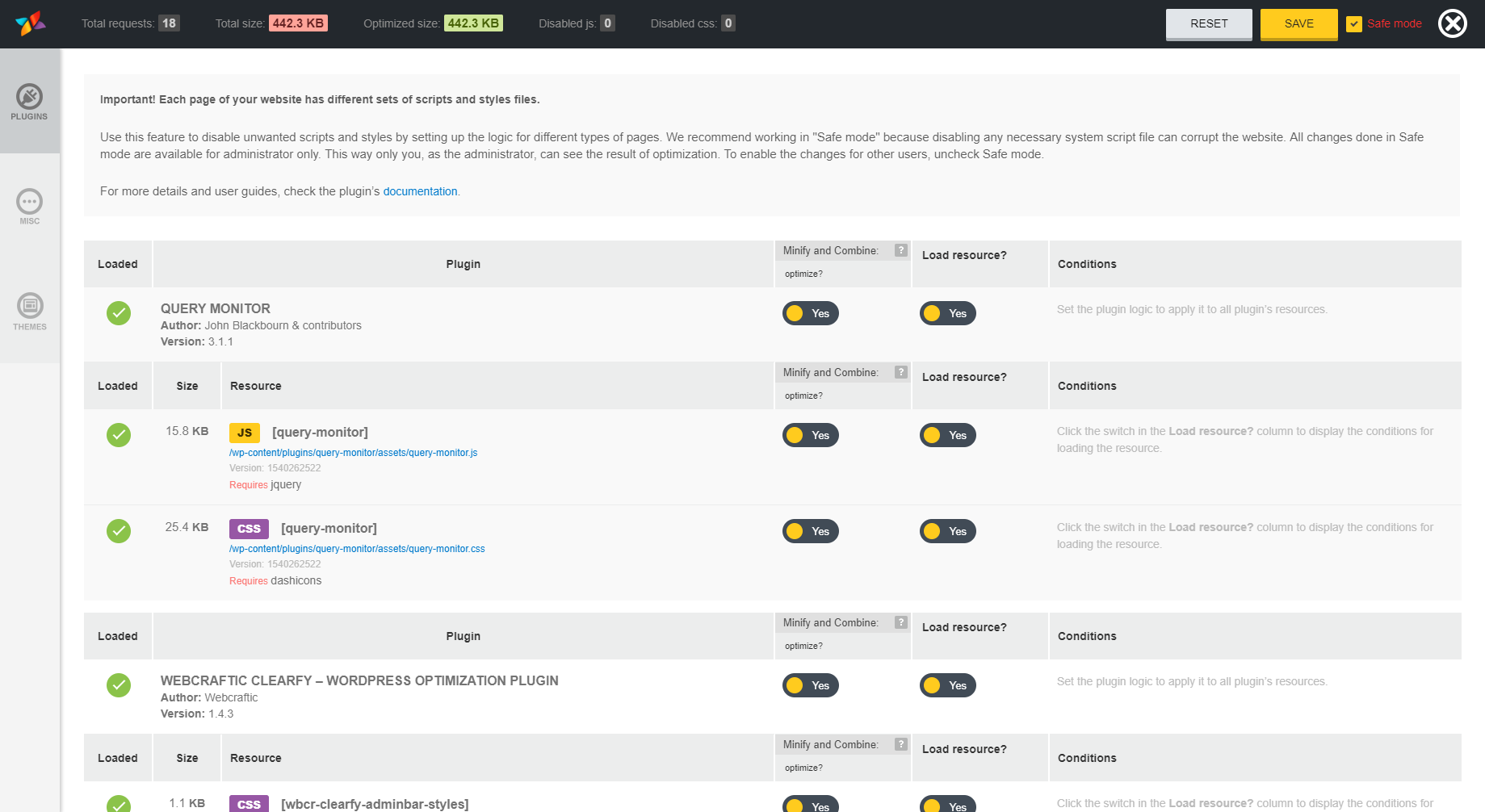
- Disable Unused Styles of Plugins and Themes — you can selectively disable styles where they are not need and speed up the website.
- Disable Unused Scripts of Plugins and Themes — disable scripts wholly or partly and optimize the loading of your website.
New useful tools and opportunities for WordPress optimization
WP Asset CleanUp Manager (Gonzales), Disable Comments and remove comments in database, Heartbeat Control, Disable updates and enable automatic plugins and themes updates
One click to WordPress optimization
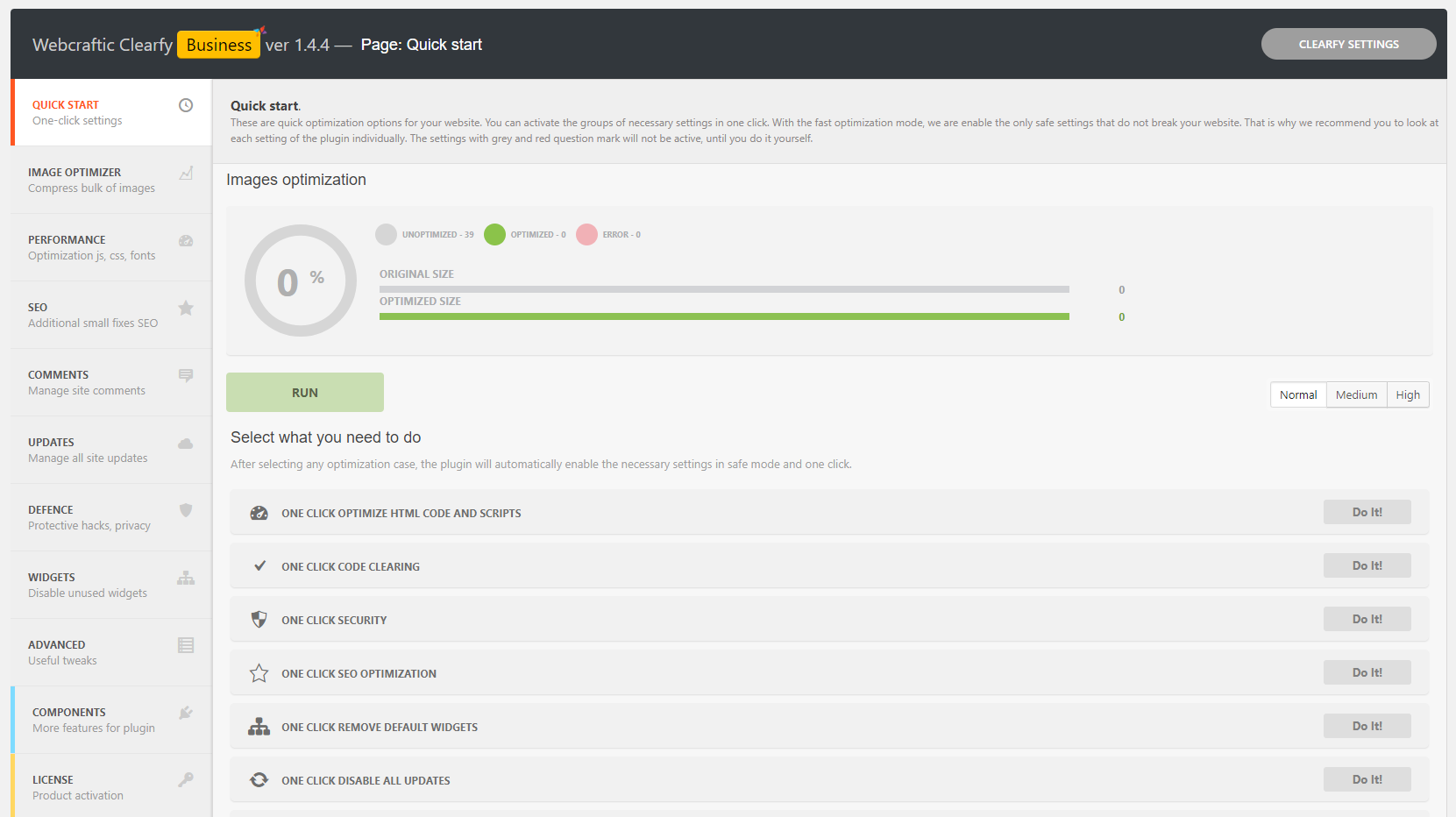
As you can see, the Clearfy plugin has a tremendous set of functions for WordPress optimization. In addition, you can turn off any unnecessary function in one click.
You can forget about opening functions.php, insertion kilometers of code and, in the end, getting critical errors on the website. Also, remember that WordPress is regularly updates and at one not the perfect moment, your site will break, because the manually inserted code has not been updated by anyone. Better, use the Clearfy plugin, which is updates and supports by WordPress professionals and, in addition, does not load your site.
Of course, there are many similar solutions, but to replace Clearfy, you will need to install about 30 plugins, each of which performs only a small role in WordPress optimization.
Thus, the Clearfy plugin, amazing with its functions, will be your indispensable assistant to improve:
- security;
- promotion and SEO;
- speed of the website, blog and online store.
Important notice! Clearfy does not replace defense, promotion and acceleration plugins, it’s only complements them.
This plugin should be on every WordPress website. Feel free to install this must-have plugin, share it with friends and colleagues to make their sites better and simplify their life!
Thanks the authors of plugins
We used some useful functions from plugins WP Asset CleanUp (Gonzales), bicycles by falbar, wp disable, easy updates manager, Disabler, Admin Bar Disabler, Cerber Security & Antispam, Admin Tweaks, Autoptimize, Fast Velocity Minify, Minify HTML, Hummingbird Page Speed Optimization, WP Super Minify.
Recommended separate add-ons
If you think that you do not need all Clearfy features, you can pick up a mini plugin in the list below. Each of these plugins solves only one specific task. All of them are already part of the Clearfy plugin:
- WordPress Assets manager, dequeue scripts, dequeue styles
- Disable Comments for Any Post Types (Disable XML-RPC, Disable Self Pingbacks, Remove Comments)
- Disable updates, Updates manager, Disable automatic updates
- Disable admin notices individually
- Cyrlitera – transliteration of links and file names
Übersetzungen
- English (default), always included
- Russian big thanks to Alexander Kovalev
- French — big thanks to @kingteamdunet, @fchaussin users
- Italian (70%)
- Chinese — big thanks to @idoog and @robertsky_
- German — big thanks to @moviemaster8
- Dutch (Belgium) — big thanks to sensuelas
- Portuguese (Brazil) – big thanks to @rdsfelipe
We are very need for your help with translating the Clearfy plugin into your native language. We want to make it international and understandable for everyone. Please contact us via email inside the plugin, or create a topic on our support forum if you can help with the translations. In exchange for your help, we will give you better support and our premium plugins absolutely free!
Installation
In diesem Abschnitt wird beschrieben, wie Sie das Plugin installieren und zum Laufen bringen.
- Laden Sie die Plugin-Dateien in das
/wp-content/plugins/plugin-name-Verzeichnis hoch oder installieren Sie das Plugin über den WordPress-Plugin-Bildschirm direkt. - Aktivieren Sie das Plugin über den Bildschirm „Plugins“ in WordPress
- Use the Settings->Clearfy – disable unused features screen to configure the plugin
Änderungsprotokoll
Version 2.4.3 (2026-07-23)
- Enhanced security
Thanks to Revanth Hari Narayana Matte & Omar Elshopky for responsibly reporting the issues.
Version 2.4.2 (2026-04-23)
- Enhanced security
Version 2.4.1 (2025-12-16)
- Enhanced security
Version 2.4.0 (2025-10-20)
- Clearfy was acquired by Super Page Cache
- We’re retiring Clearfy in favor in favor of the more powerful Super Page Cache plugin, so ensure users have access to the best performance optimization features, improved compatibility, and a superior user experience.
2.3.3 (08.04.2025)
- Fixed: Bugs in the setup wizard
- Fixed: Security issue
2.3.1 (09.12.2024)
- Fixed: Security issue
2.3.1 (09.12.2024)
- Fixed: _load_textdomain_just_in_time warning in debug mode
2.3.0 (05.12.2024)
- Fixed: Minor bugs
2.2.9 (05.12.2024)
- Fixed: Compatibility with premium plugin
Screenshots


Für Entwickler
Ist das dein Plugin? Zeigen Sie die Zahlen.
Fügen Sie Ihrer Website, Docs oder GitHub Readme ein Live-Badge hinzu. Es wird von selbst aktualisiert - kein Konto erforderlich.
Best Clearfy Cache alternatives
Alle Cache-Plugins →



Fragen und Antworten
Clearfy Cache: quick answers
Gerade Antworten, gezogen von Live WordPress.org Daten.
Quelle: WordPress.org
Is Clearfy Cache free?
Yes. Clearfy Cache is free to download and use from the official WordPress.org plugin directory.
Is Clearfy Cache safe to use in 2026?
Clearfy Cache is a solid plugin choice in 2026, with a few things worth checking first. It runs on 40K+ sites, is rated 4.7/5 and was last updated 4 months ago, and scores 68/100 on our health check.
How many websites use Clearfy Cache?
Clearfy Cache is active on 40K+ WordPress websites and has been downloaded 2,462,772 times since it launched in September 2017. It was downloaded 4,169 times in the last 30 days.
Does Clearfy Cache work with WordPress 7.1?
Clearfy Cache is officially tested up to WordPress 6.9.12, while the latest release is 7.1.5. It may still work, but try it on a staging site first.
What PHP version does Clearfy Cache need?
Clearfy Cache requires PHP 7.4 or higher. Most hosts run PHP 8.x today, so it works on any modern WordPress hosting.
When was Clearfy Cache last updated?
The latest version, 2.4.3, was released on July 23, 2026 (4 months ago).
Who makes Clearfy Cache?
Clearfy Cache is developed and maintained by Creativemotion.
What are the best alternatives to Clearfy Cache?
The most popular alternatives to Clearfy Cache are WP Super Cache (1M+ installs), WP Fastest Cache (1M+ installs) and WP-Optimize (1M+ installs).
Angetrieben von PageForge
Eine Vorlage und eine Tabelle. Eine echte Seite für jede Suche.
PageForge Verwandelt jede Zeile eines CSV in eine WordPress-Seite mit eigenem Titel, URL, SEO Felder und Schema entworfen. Kostenlos auf WordPress.org.
- CSV und XLSX, plus Google Sheets auf Beruf und Unternehmen
- seinen eigenen Titel, URL, SEO Felder und Schema für jede Seite
- Arbeitet mit dem Blockeditor, Elementor, Divi und Avada
- Kostenlos auf WordPress.org, keine Kreditkarte