


Broken Link Notifier
Get notifications when a visitor loads a page with broken links

Sichere Auswahl
Yes — Broken Link Notifier is a safe, well-maintained plugin to use in 2026. It runs on 1K+ sites, is rated 4.8/5 and was last updated 1 week ago, and scores 85/100 on our health check.
- Aktiv entwickelt — letztes Update vor 1 Woche
- Getestet mit dem neuesten WordPress (7.1)
Wie stapelt es sich?
Side-by-side bei Installationen, Updates, Bewertungen und Support



Tägliche Downloads
Download-Spitzen folgen normalerweise einer neuen Version - jede Website, die automatisch aktualisiert wird, gilt als Download.
Ranglisten
Where Broken Link Notifier stands todayWordPress.org Ranglisten suchen
Live-Position in der Plugin-Suche, Top 100| Stichwort | Position |
|---|---|
| broken | #3 |
| checker | #44 |
| Link | #15 |
| links | #49 |
| benachrichtigen | #26 |
Versionsübernahme
Anteil aktiver Sites pro Release.
Bewertungsaufschlüsselung
★★★★★★★★★★ 4.8 from 14 reviews
About Broken Link Notifier
From the official readme · v2.0.0.4Beschreibung
The “Broken Link Notifier” WordPress plugin is a vigilant guardian for your website’s links, monitoring and alerting you to broken or dead links as users visit your site. This ensures a seamless user experience and helps prevent search engine ranking penalties.
This plugin:
- Scans content when users visit a page after the page fully loads, preventing performance lag
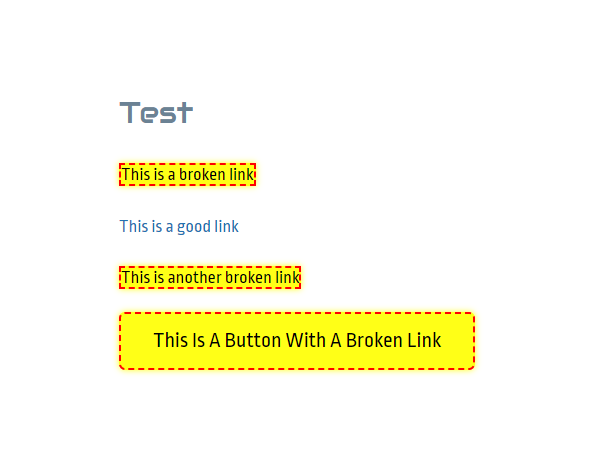
- Identifies broken links, including 404 errors, timeouts, images, and embedded YouTube videos
- Notifies you via dashboard notifications, email, Discord, Slack and/or Microsoft Teams
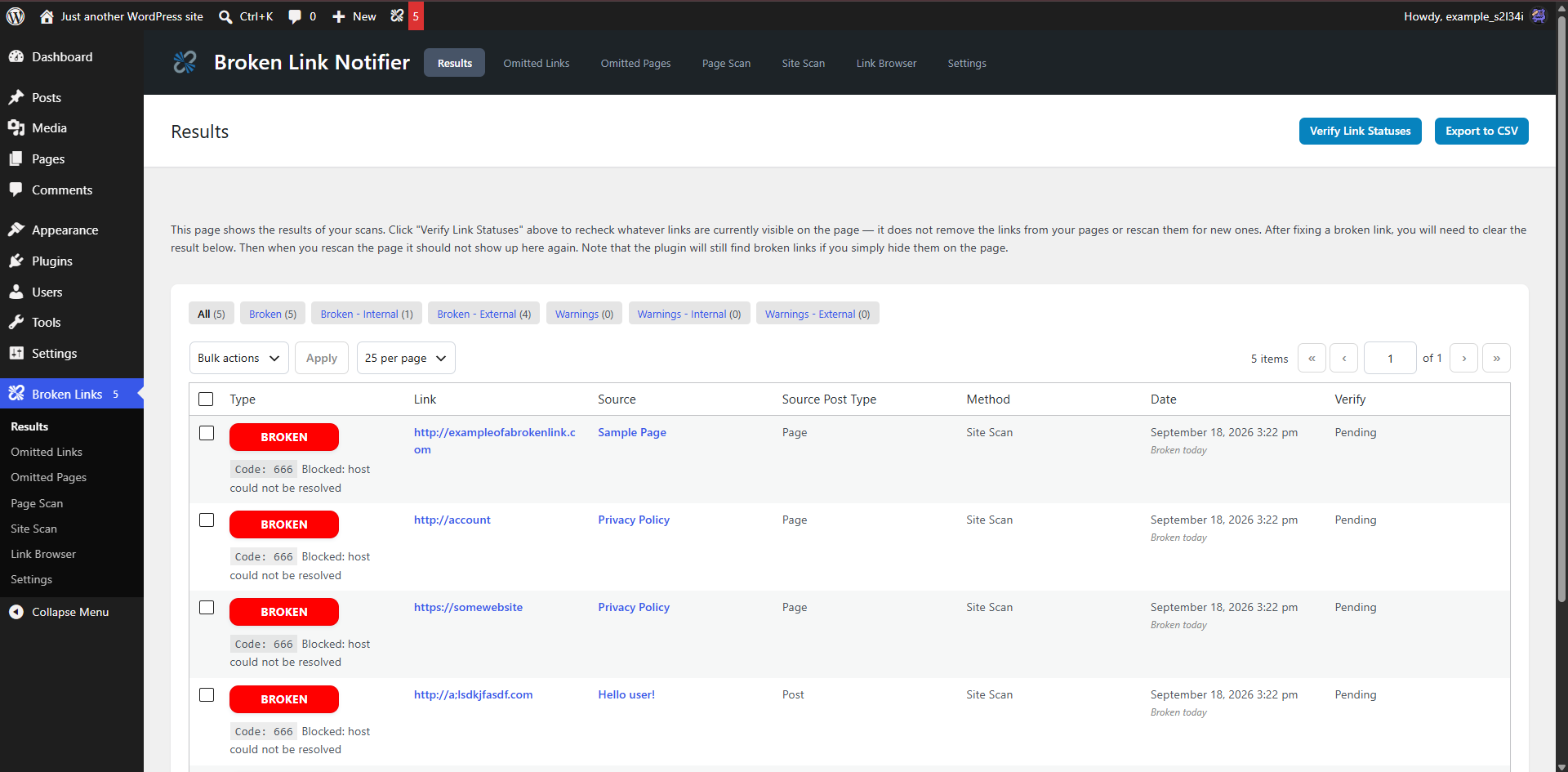
- Provides a list of broken links for easy review and correction
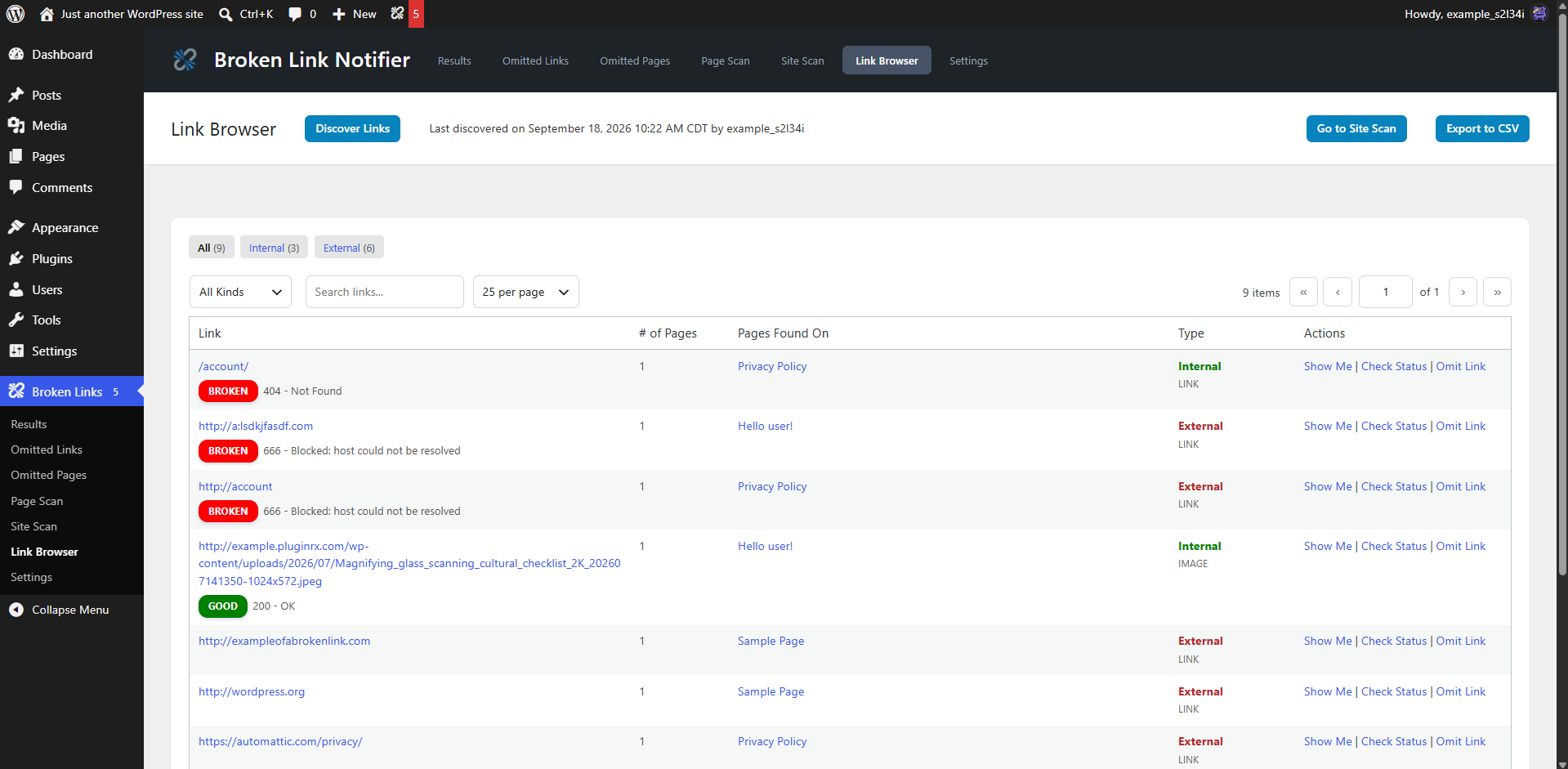
- Lets you browse every link on your site in one searchable table before checking their status (NEW with Version 2.0)
- Runs a full two-step site-wide scan on your own schedule — discover every link, then check them all for broken links and warnings (NEW with Version 2.0)
- Allows easy replacement of links straight from the results page
- Caches working (good) links to skip rechecking them for a configurable amount of time
With “Broken Link Notifier”, you can:
- Ensure accurate and functional links for your users
- Prevent search engines from indexing broken links
- Maintain a professional and trustworthy website image
- Save time and effort in manual link checking
- Discover and catalog every link on your site before you even check them
- Run a full site scan on your own terms, without relying only on page-load visits
- Improve performance by caching successful link checks (optional)
This plugin is a must-have for website owners, developers, and SEO enthusiasts who want to guarantee a smooth and error-free browsing experience for their audience!
IF THIS PLUGIN FLAGS SOME LINKS AS BROKEN WHEN THEY ARE NOT, PLEASE READ THE FAQ BELOW
Demo
Installation
- Install the plugin from your website’s plugin directory, or upload the plugin to your plugins folder.
- Activate it.
- The plugin works right away just by visiting pages with broken links on them — but you’ll likely see some links flagged as broken that aren’t actually broken, so it’s worth spending a few minutes on setup first.
- Go to
Broken Link Notifier > Settings:- Disable notifications for now. By default you’re emailed every time a visitor finds a newly-broken link; once flagged, a link won’t notify you again unless it’s removed from Results before you fix it. It’s easiest to leave notifications off until you’ve finished the initial setup below, then turn them back on.
- Enable “Also Fetch Pages Remotely During Page Scan, Site Scan & Link Browser” to prepare for a one-time Site Scan.
- Under Post Types, keep Posts and Pages checked, and add any other post types that behave like posts or pages on your front end. Skip post types used only for internal data storage.
- Save with Ctrl+S or the Save button at the top of the page.
- Go to
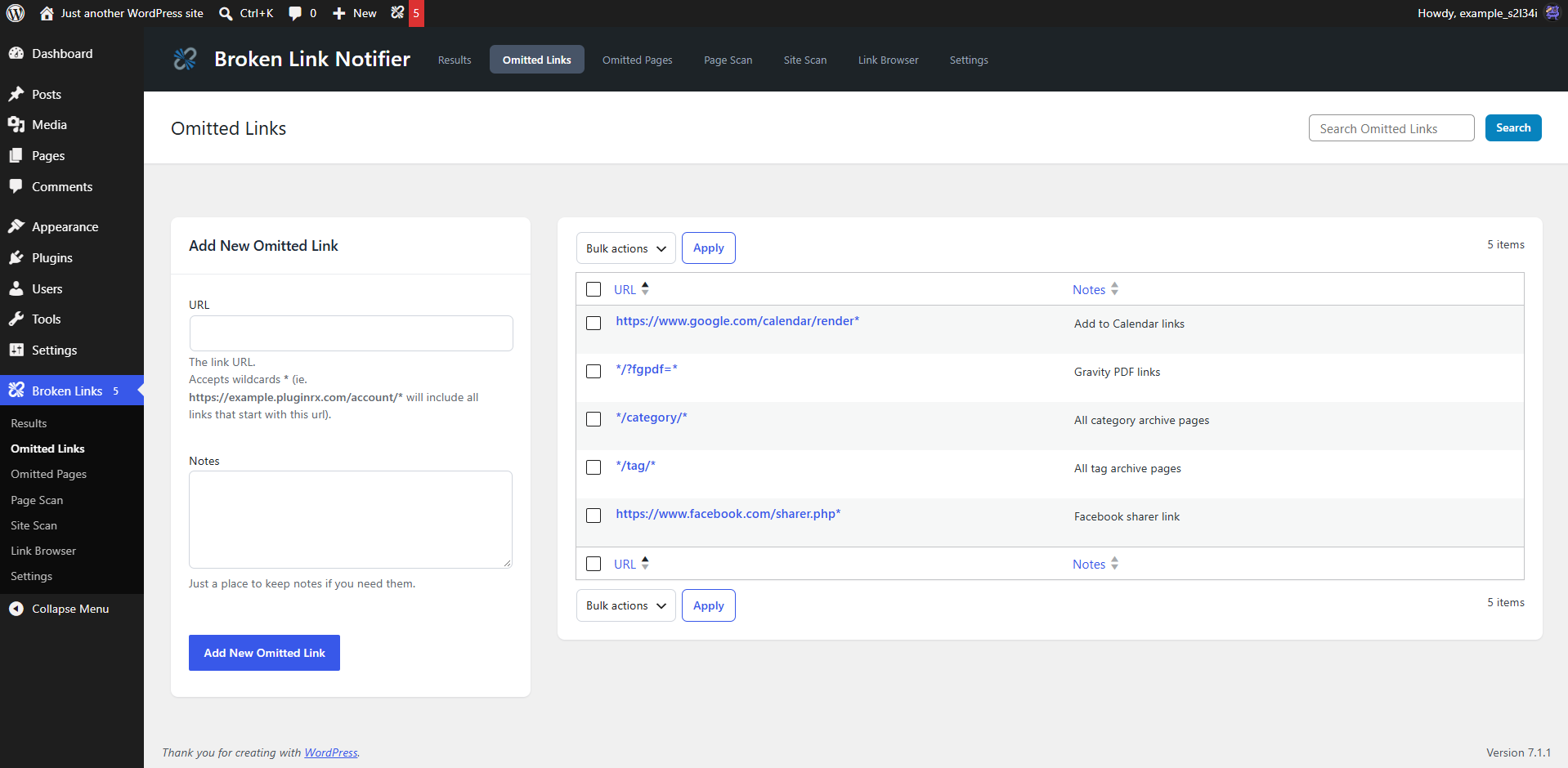
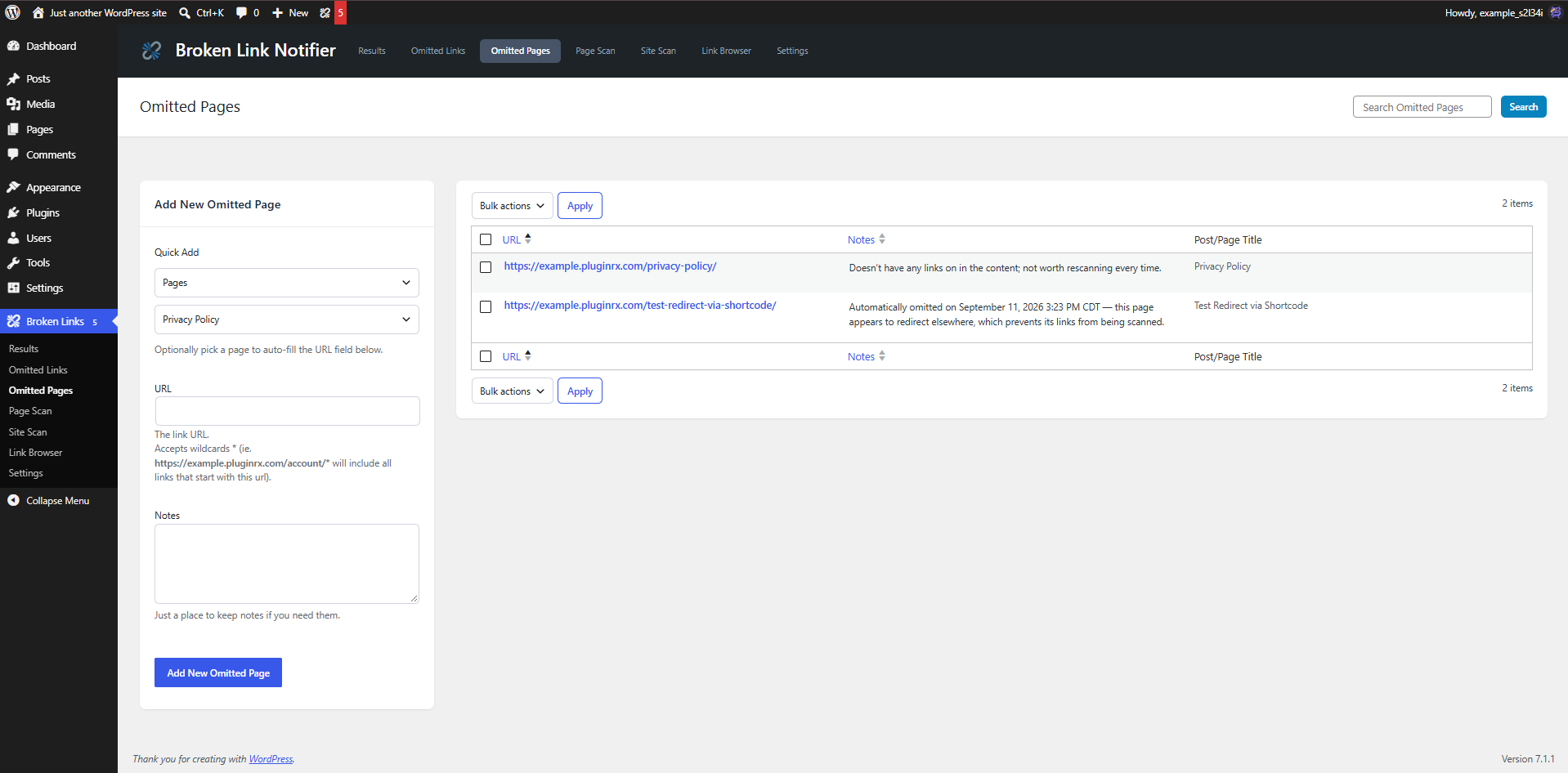
Broken Link Notifier > Omitted Pagesand add any pages that don’t need scanning — custom login pages, 404 pages, auto-generated archive pages, and similar. You can add a note to each explaining why it’s omitted. To omit an entire section of your site at once, use a wildcard, e.g./category/*or/tag/*. - Go to
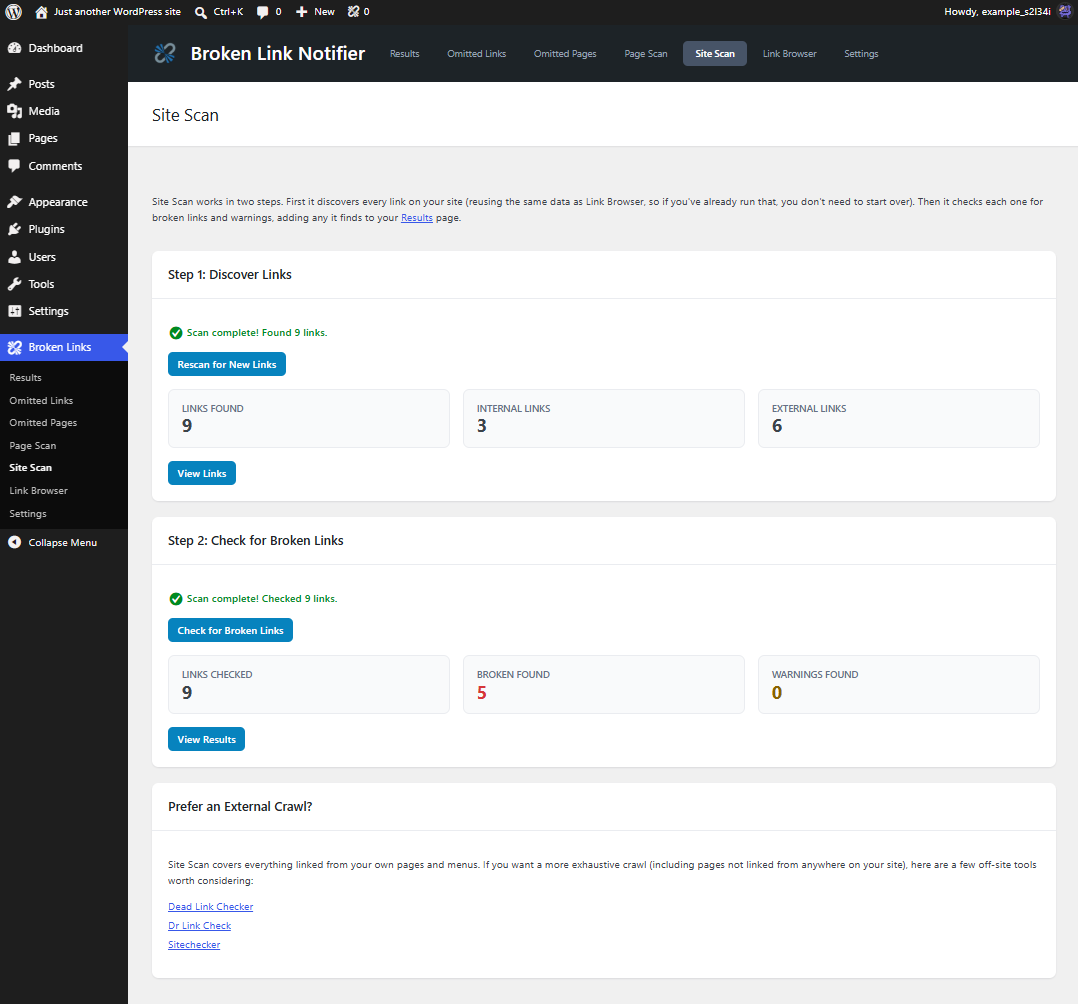
Broken Link Notifier > Site Scanand run the two-step scan — this checks your whole site up front so you catch issues before your visitors do, and may take a while depending on site size:- Click “Discover Links” and wait for it to finish.
- Click “Check for Broken Links” and wait for it to finish.
- If it finds broken links or warnings, click “View Results” (or go to
Broken Link Notifier > Resultsdirectly).
- Review your results and omit anything that’s a false positive — individually from Results or Link Browser, or by domain with a wildcard from
Broken Link Notifier > Omitted Links. - Once you’ve worked through your initial results, go back to Settings and re-enable notifications so you’re alerted to anything new going forward.
Änderungsprotokoll
2.0.0.4
- Security: Fixed a stored DOM-based cross-site scripting issue where a link reported through the public front-end scanner could run script in an administrator’s session when using Replace Link on the Results page (props Kevin Whelan/Wordfence)
- Security: Links reported through the front-end scanner are now rejected if they are not plain text or contain control characters, angle brackets, double quotes or backticks (props Kevin Whelan/Wordfence)
- Security: Link and message output in the Replace Link action is now built with safe DOM methods, and only http, https, mailto and tel links are made clickable
- Security: Escaped the Omit Source, Scan Page, View Page and Trash Page row action attributes on the Results page
- Fix: A non-array value sent to the front-end link report no longer causes a fatal error on PHP 8
2.0.0.3
- Tweak: Updated a few minor styling issues
2.0.0.2
- Fix: Browser extension links (moz-extension, safari-extension, safari-web-extension, webkit-masked-url) that a visitor’s browser add-ons insert into the page were being reported as broken; they are now skipped
- Fix: URL scheme matching is now case-insensitive, so a scheme like MAILTO: or Tel: is recognized and skipped
- Fix: Broken links were being recorded for sources that do not exist (such as malformed URLs with a double slash); sources must now be a published post or page, or the homepage, and the page-load scan no longer runs on 404 pages
- Update: Removed the Screen Options tab from all Broken Link Notifier pages
- Tweak: Adjusted field description styles on Omitted Links/Pages
- Fix: Verify Link Statuses on the Results page re-verified the same links again after the table refreshed
- Fix: The loading row on the Results table did not span all columns
- Update: The admin bar broken link count now updates live on the front end when a page scan finds new broken links
2.0.0.1
- Security: Redirect destinations are now validated against internal and reserved addresses on every hop when checking links (props Amin Guliyev via WPScan)
- Update: Page Scan now shows a Redirect label and each redirect hop under links that redirect
- Fix: Internal links to posts that are not published or private (drafts, scheduled posts, custom statuses) showing as good without being checked
- Fix: “Undefined” showing in the Status column while a link is being scanned on Page Scan
- Fix: “Please try again.” and “Skipping missing links” text also not displaying on Page Scan
- Fix: Checkboxes that default to enabled (such as Enable Emailing) could not be turned off and saved on a fresh install
- Fix: Database error logged on the Settings page when link caching is disabled
2.0.0
- Update: Complete visual redesign — new shared header, navigation, colors, and content containers to match the rest of the PluginRx plugin family, including inheriting theme colors from Admin Help Docs when installed
- Update: Added a new Site Scan tab — a two-step scanner that discovers every link on your site, then checks them all for broken links and warnings, with live progress and a summary linking to Results
- Update: Added a new Link Browser tab that scans and lists every link on the site, with filtering by internal/external and by link/image/file, search, pagination, and inline “Check Status” and “Show Me” actions
- Update: Legacy Multi-Scan is now disabled by default in favor of Site Scan; developers can re-enable it with the
blnotifier_enable_legacy_multiscanfilter, or by enabling test mode from the Developer Debug Tools plugin - Update: Pages that appear to redirect are now automatically detected and omitted from future scans during Link Browser and Site Scan, with a note explaining why
- Update: Results page rebuilt with AJAX — filter by status with clickable counts, bulk actions (Clear Results, Omit Links, Omit Sources), manual on-demand link verification, and no more page reloads
- Update: Added quick-add tools to Omitted Links (autocomplete from discovered links) and Omitted Pages (browse by post type) so you no longer need to type or paste a URL from memory
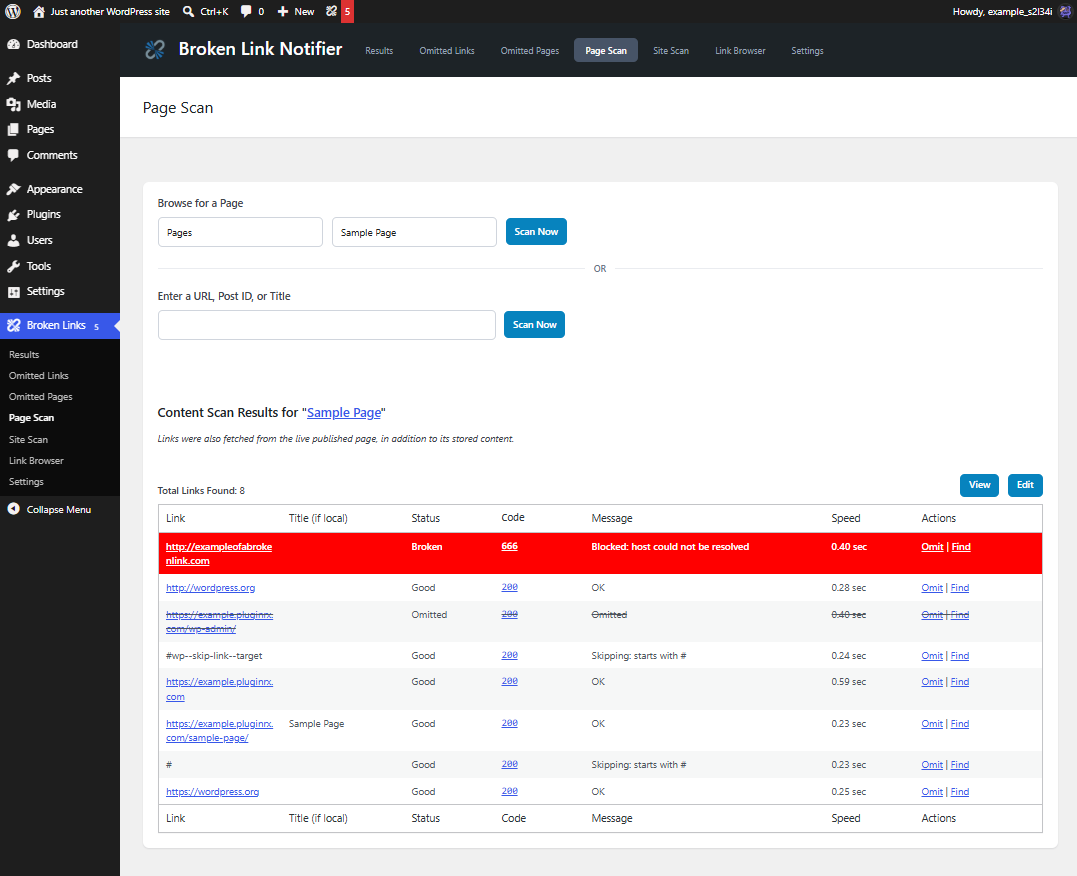
- Update: Added post-type/page browsing to Page Scan as an alternative to typing a URL directly
- Update: Removed the Link Search tab — Link Browser’s own search field covers the same need with more accurate results, including menu items
- Update: Settings page reorganized into categorized sections, saves via AJAX with a dirty-state reminder and Ctrl+S support, and includes step-by-step setup accordions for Discord, Slack, and Microsoft Teams
- Update: Added Download Settings, Upload Settings, and Reset All Settings tools to the Settings page
- Update: Added an option to clear cached good links
- Update: Removed the Export tab; export is now available directly from Results (exports whatever is currently filtered) and Link Browser (exports all discovered links, respecting filters and search)
- Update: Omitted Links and Omitted Pages screens restyled to match the rest of the plugin, with search moved to the page header
- Update: Added quick-add fields and autocomplete suggestions by title to the Page Scan search field
- Update: Added an optional delay between requests during Link Browser and Site Scan scans, for sites needing to reduce server load
- Update: Removed all help documentation since we have links to the Help Guide and Developer Docs on the website
- Update: Added new developer filters —
blnotifier_link_type,blnotifier_link_kind,blnotifier_link_kind_image_extensions,blnotifier_link_kind_file_extensions,blnotifier_menu_location_label,blnotifier_header_footer_links,blnotifier_auto_omit_redirects,blnotifier_auto_omit_redirect_note,blnotifier_export_results_headers,blnotifier_export_link_browser_headers,blnotifier_export_results_rows,blnotifier_export_link_browser_rows,blnotifier_omit_quick_add_post_types,blnotifier_admin_menu_title, andblnotifier_notify_flagged - Tweak: “Omit Page” action renamed to “Omit Source” for clarity
- Update: Shortened the admin menu title to “Broken Links” and made it filterable via
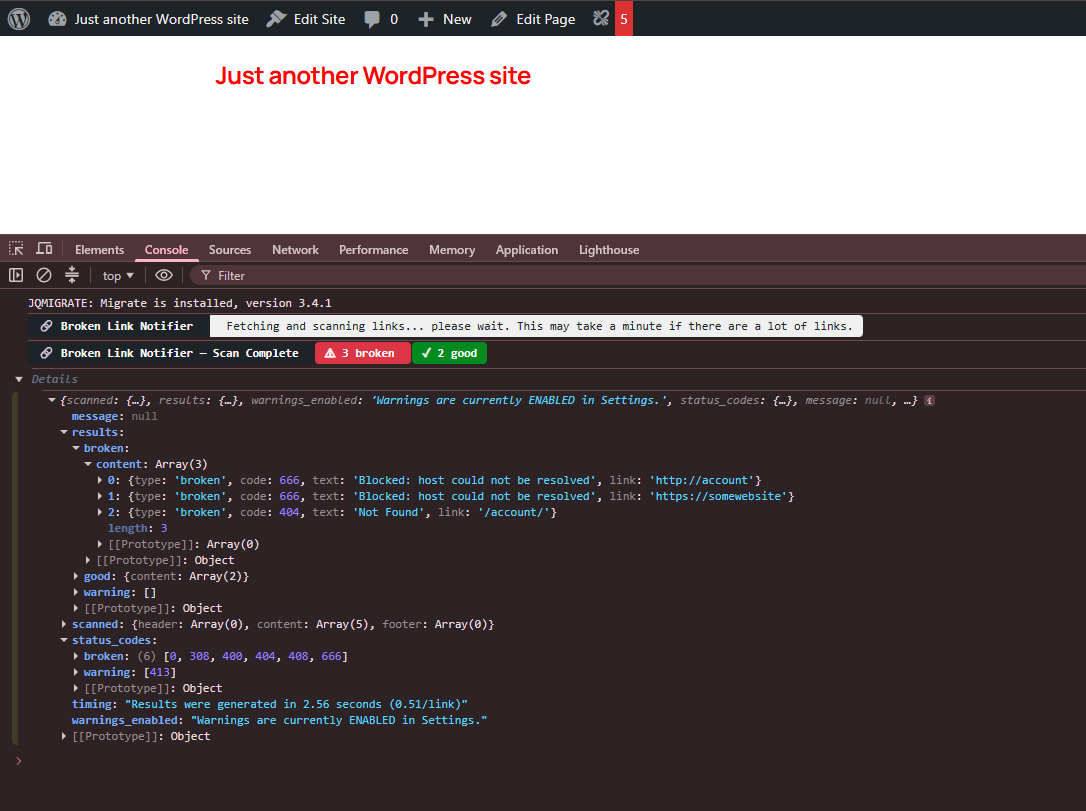
blnotifier_admin_menu_title - Update: Overhauled the front-end console log debugger with better styling, grouping, and more data
- Update: Added a “What’s New” overlay introducing major updates
1.3.8
- Tweak: Added “Broken for X days” note under the date on the Results page
- Update: Added REST API with endpoints for retrieving and deleting results; enable in Settings and generate an API key to authenticate
- Update: Added Slack webhook notifications for broken links
- Update: Added test notification buttons for email, Discord, Slack, and Microsoft Teams
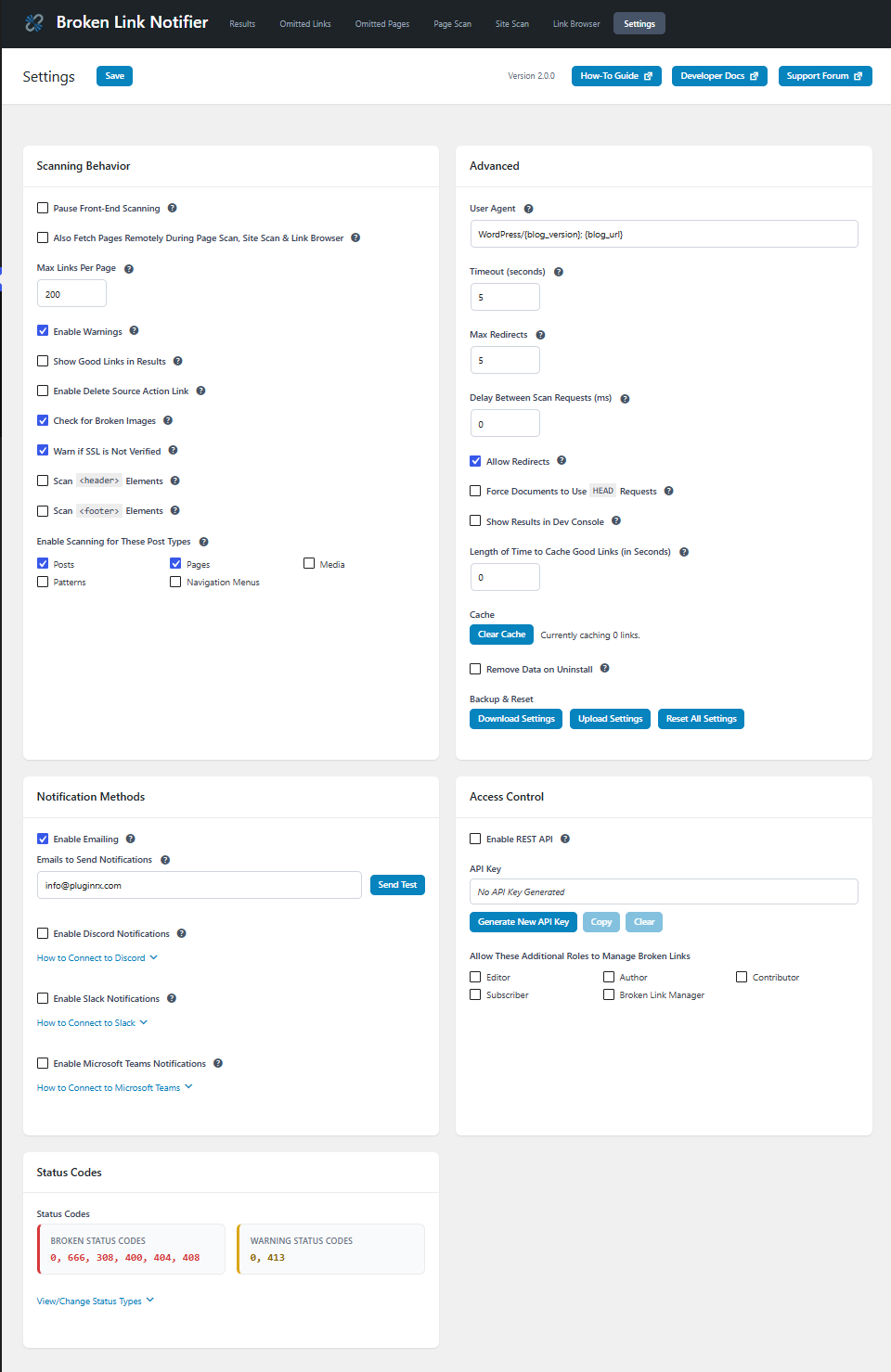
Screenshots
Für Entwickler
Ist das dein Plugin? Zeigen Sie die Zahlen.
Fügen Sie Ihrer Website, Docs oder GitHub Readme ein Live-Badge hinzu. Es wird von selbst aktualisiert - kein Konto erforderlich.
Best Broken Link Notifier alternatives
All broken plugins →

Fragen und Antworten
Broken Link Notifier: quick answers
Gerade Antworten, gezogen von Live WordPress.org Daten.
Quelle: WordPress.org
Is Broken Link Notifier free?
Yes. Broken Link Notifier is free to download and use from the official WordPress.org plugin directory.
Is Broken Link Notifier safe to use in 2026?
Yes — Broken Link Notifier is a safe, well-maintained plugin to use in 2026. It runs on 1K+ sites, is rated 4.8/5 and was last updated 1 week ago, and scores 85/100 on our health check.
How many websites use Broken Link Notifier?
Broken Link Notifier is active on 1K+ WordPress websites and has been downloaded 44,936 times since it launched in April 2024. It was downloaded 2,577 times in the last 30 days.
Does Broken Link Notifier work with WordPress 7.1?
Yes. The developer has tested Broken Link Notifier up to WordPress 7.1.5, the latest release. It requires WordPress 6.0 or newer.
What PHP version does Broken Link Notifier need?
Broken Link Notifier requires PHP 7.4 or higher. Most hosts run PHP 8.x today, so it works on any modern WordPress hosting.
When was Broken Link Notifier last updated?
The latest version, 2.0.0.4, was released on November 20, 2026 (1 week ago).
Who makes Broken Link Notifier?
Broken Link Notifier is developed and maintained by PluginRx.
What are the best alternatives to Broken Link Notifier?
The most popular alternatives to Broken Link Notifier are Replace Broken Images (1K+ installs), Save Post. Check Links. (100+ installs) and Redirect 404 to parent (50+ installs).
Angetrieben von PageForge
Eine Vorlage und eine Tabelle. Eine echte Seite für jede Suche.
PageForge Verwandelt jede Zeile eines CSV in eine WordPress-Seite mit eigenem Titel, URL, SEO Felder und Schema entworfen. Kostenlos auf WordPress.org.
- CSV und XLSX, plus Google Sheets auf Beruf und Unternehmen
- seinen eigenen Titel, URL, SEO Felder und Schema für jede Seite
- Arbeitet mit dem Blockeditor, Elementor, Divi und Avada
- Kostenlos auf WordPress.org, keine Kreditkarte