


Blockmason Core
Projects, services, team members and testimonials for construction company websites.

Solid choice
Blockmason Core is a solid plugin choice in 2026, with a few things worth checking first. Was last updated 2 weeks ago, and scores 64/100 on our health check.
- Actively developed — last update 2 weeks ago
- Tested with the latest WordPress (7.1)
- Small user base (<10 active installs)
- Very few reviews so far
- Needs PHP 8.1 or newer
How does it stack up?
Side-by-side on installs, updates, ratings & support



Daily downloads
Download spikes usually follow a new release — each site that auto-updates counts as a download.
Rankings
Where Blockmason Core stands todayWordPress.org search rankings
Live position in the plugin search, top 100| Keyword | Position |
|---|---|
| construction | >100 |
| portfolio | >100 |
| projects | >100 |
| services | >100 |
| team | >100 |
About Blockmason Core
From the official readme · v1.0.3Description
Blockmason Core adds the content a construction company website needs:
- Projects, with categories (residential, commercial, industrial, public)
- Services, with categories
- Team members, grouped by department
- Testimonials, with company, rating and related project
Fill in the details from the editor sidebar, then show them with the Blockmason blocks:
- Project details: client, location, year, area, duration and services
- Before / after: compare two photos with an accessible slider
- Team member details: role, email, phone and LinkedIn
- Service icon: one of the included line icons
- Testimonials: a grid of client quotes with ratings
- Projects and “Projects of this service” variations of the Query Loop block
All fields are standard WordPress custom fields available in the REST API, so they also work with block bindings.
It is made for the free Blockmason Build theme, and works with any block theme. Your content stays in WordPress if you change theme.
Resources
Images in demo/build/images:
- hero-site-work.webp
License: CC0 1.0 Universal (public domain), https://creativecommons.org/publicdomain/zero/1.0/
Source: https://www.rawpixel.com/image/5927996 - team-planning.webp
License: CC0 1.0 Universal (public domain), https://creativecommons.org/publicdomain/zero/1.0/
Source: https://www.rawpixel.com/image/5928035 - worker-site.webp
License: CC0 1.0 Universal (public domain), https://creativecommons.org/publicdomain/zero/1.0/
Source: https://www.rawpixel.com/image/5928022 - project-brick-house.webp
License: CC0 1.0 Universal (public domain), https://creativecommons.org/publicdomain/zero/1.0/
Source: https://www.rawpixel.com/image/6042800 - project-timber-house.webp
License: CC0 1.0 Universal (public domain), https://creativecommons.org/publicdomain/zero/1.0/
Source: https://www.rawpixel.com/image/5919896 - project-apartment-block.webp
License: CC0 1.0 Universal (public domain), https://creativecommons.org/publicdomain/zero/1.0/
Source: https://www.rawpixel.com/image/5951910 - demo-modern-villa.webp
License: CC0 1.0 Universal (public domain), https://creativecommons.org/publicdomain/zero/1.0/
Source: https://www.rawpixel.com/image/6043057 - demo-bathroom.webp
License: CC0 1.0 Universal (public domain), https://creativecommons.org/publicdomain/zero/1.0/
Source: https://www.rawpixel.com/image/6042774 - demo-bathroom-before.webp
License: CC0 1.0 Universal (public domain), https://creativecommons.org/publicdomain/zero/1.0/
Source: generated by Themewright from demo-bathroom.webp - demo-roofing.webp
License: CC0 1.0 Universal (public domain), https://creativecommons.org/publicdomain/zero/1.0/
Source: https://www.rawpixel.com/image/5925457 - demo-bathroom-2.webp
License: CC0 1.0 Universal (public domain), https://creativecommons.org/publicdomain/zero/1.0/
Source: https://www.rawpixel.com/image/5906896 - demo-metalwork.webp
License: CC0 1.0 Universal (public domain), https://creativecommons.org/publicdomain/zero/1.0/
Source: https://www.rawpixel.com/image/5910507 - demo-timber-house-day.webp
License: CC0 1.0 Universal (public domain), https://creativecommons.org/publicdomain/zero/1.0/
Source: https://www.rawpixel.com/image/6015942 - demo-interior.webp
License: CC0 1.0 Universal (public domain), https://creativecommons.org/publicdomain/zero/1.0/
Source: https://www.rawpixel.com/image/6043351 - demo-team-*.webp
License: CC0 1.0 Universal (public domain), https://creativecommons.org/publicdomain/zero/1.0/
Source: AI-generated portraits made for Blockmason by Themewright (fictional people)
Icons in the Service icon block:
- Original artwork by Themewright, (C) 2026 Themewright
License: GNU GPL v2 or later, https://www.gnu.org/licenses/gpl-2.0.html
Installation
- In your admin panel, go to Plugins > Add New Plugin and search for “Blockmason Core”.
- Click Install Now, then Activate.
- You will find Projects, Services, Team and Testimonials in the admin menu.
- Optional: go to Appearance > Blockmason demo to import sample content with images. You can remove it again with one click; content you created yourself is never touched.
Changelog
1.0.3
- Demo: the interior photo is replaced with a CC0 (public domain) photo.
1.0.2
- Fix: on sites in Spanish, German, Italian and Portuguese the Team page link of the demo menu gave a “page not found” error. URL slugs are no longer translated.
- Permalinks are refreshed automatically after an update.
1.0.1
- The demo importer can list more than one demo: other plugins can add their own with the blockmason_core_demos filter.
- New actions blockmason_core_demo_imported and blockmason_core_demo_removed.
1.0.0
- First public release.
0.7.3
- Translations included: Italian, Spanish, French, German and Brazilian Portuguese.
0.7.1
- Demo: About page with the history timeline, why choose us and careers; new Prices page (photo hero, packages, gallery, FAQ) in the menu.
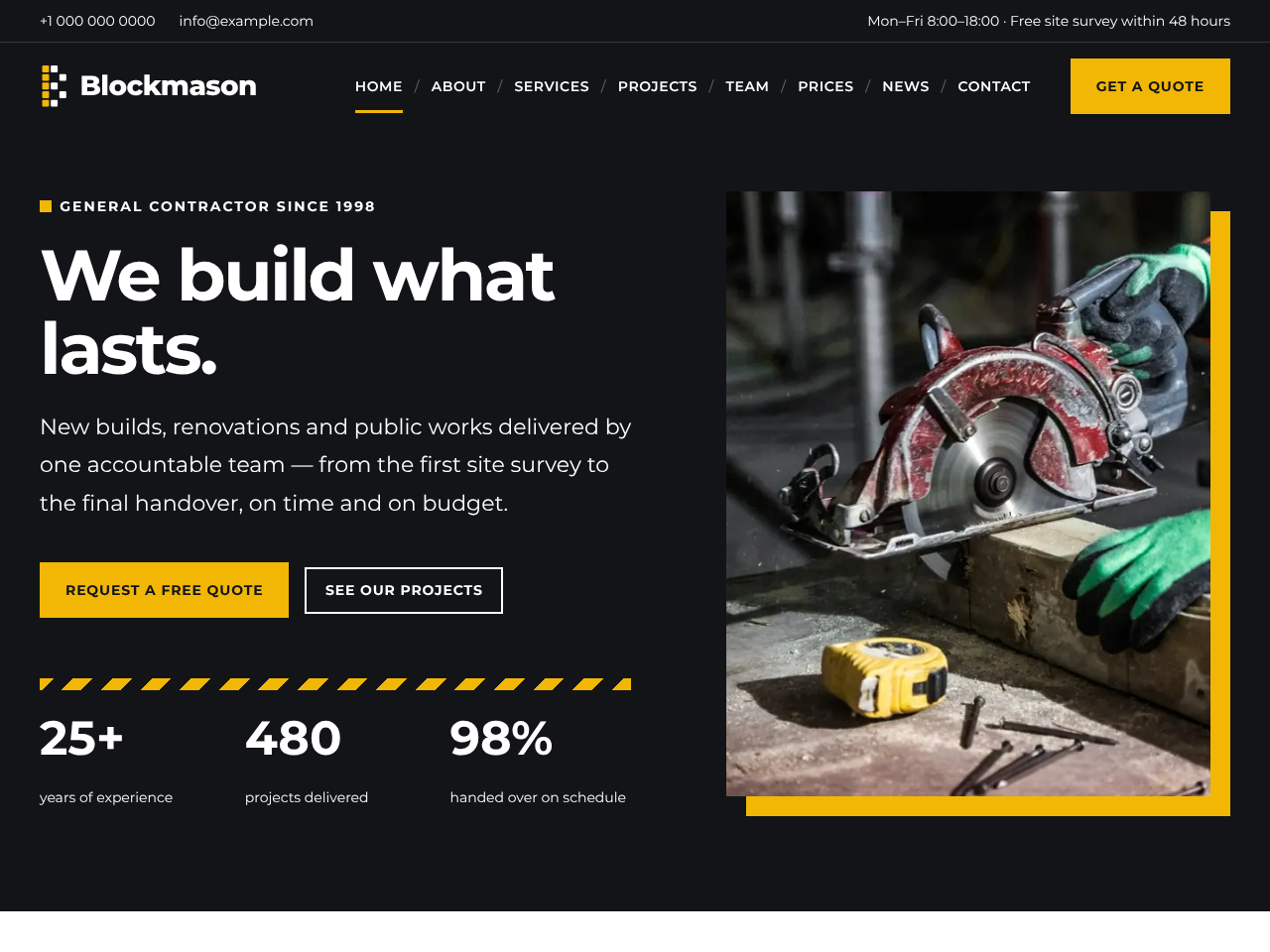
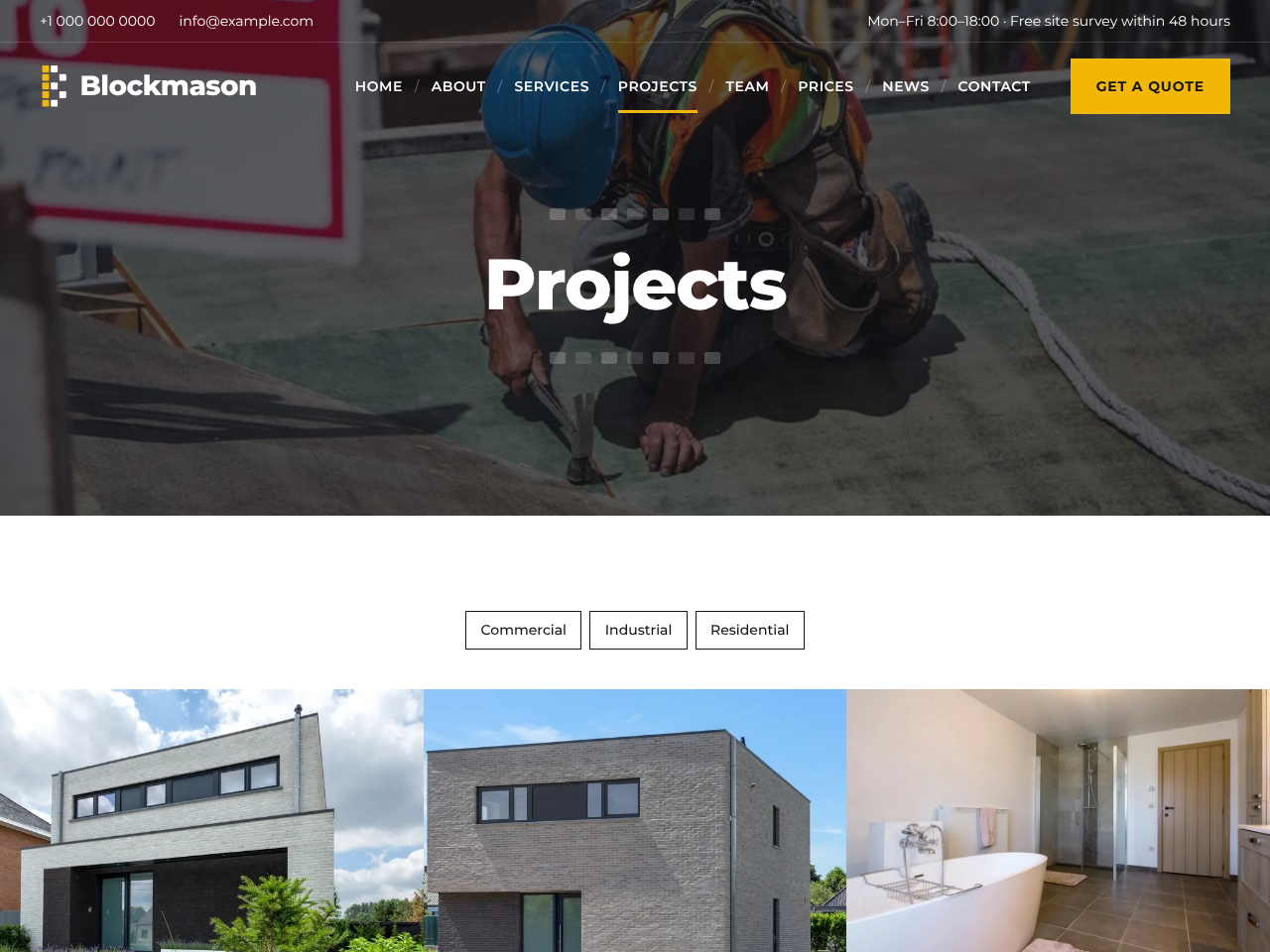
Screenshots


For developers
Is this your plugin? Show off the numbers.
Add a live badge to your site, docs or GitHub README. It updates on its own — no account needed.
Best Blockmason Core alternatives
All construction plugins →





FAQ
Blockmason Core: quick answers
Straight answers, pulled from live WordPress.org data.
Source: WordPress.org
Is Blockmason Core free?
Yes. Blockmason Core is free to download and use from the official WordPress.org plugin directory.
Is Blockmason Core safe to use in 2026?
Blockmason Core is a solid plugin choice in 2026, with a few things worth checking first. Was last updated 2 weeks ago, and scores 64/100 on our health check.
How many websites use Blockmason Core?
Blockmason Core is active on <10 WordPress websites and has been downloaded 478 times since it launched in November 2026. It was downloaded 479 times in the last 30 days.
Does Blockmason Core work with WordPress 7.1?
Yes. The developer has tested Blockmason Core up to WordPress 7.1.5, the latest release. It requires WordPress 7.0 or newer.
What PHP version does Blockmason Core need?
Blockmason Core requires PHP 8.1 or higher. Most hosts run PHP 8.x today, so it works on any modern WordPress hosting.
When was Blockmason Core last updated?
The latest version, 1.0.3, was released on November 16, 2026 (2 weeks ago).
Who makes Blockmason Core?
Blockmason Core is developed and maintained by themewright.
What are the best alternatives to Blockmason Core?
The most popular alternatives to Blockmason Core are WP Maintenance (60K+ installs), underConstruction (30K+ installs) and Under Construction Light (1K+ installs).
Powered by PageForge
One template and a spreadsheet. A real page for every search.
PageForge turns each row of a CSV into a WordPress page with its own title, URL, SEO fields and schema, built on the layout you already designed. Free on WordPress.org.
- CSV and XLSX, plus Google Sheets on Professional and Enterprise
- Its own title, URL, SEO fields and schema for every page
- Works with the block editor, Elementor, Divi and Avada
- Free on WordPress.org, no credit card