

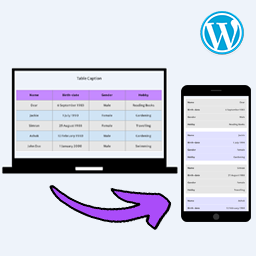
Auto Responsive Table
Instead of forcing you to rebuild your tables from scratch using complicated tools, this PlugIn targets pre-existing or new tables built with the Classic Editor, Gutenberg (Block Editor), or raw HTML, and automatically…

Mit Vorsicht verwenden
Auto Responsive Table works, but test it on a staging site before relying on it in 2026. It runs on 30+ sites and was last updated 6 months ago, and scores 52/100 on our health check.
- Kleine Benutzerbasis (30+ aktive Installationen)
- Bisher sehr wenige Bewertungen
Tägliche Downloads
Download-Spitzen folgen normalerweise einer neuen Version - jede Website, die automatisch aktualisiert wird, gilt als Download.
Ranglisten
Where Auto Responsive Table stands todayWordPress.org Ranglisten suchen
Live-Position in der Plugin-Suche, Top 100| Stichwort | Position |
|---|---|
| HTML table | >100 |
| responsive table | #59 |
| sortable table | #45 |
| sticky table header | #58 |
| table css customization | #53 |
Versionsübernahme
Anteil aktiver Sites pro Release.
About Auto Responsive Table
From the official readme · v3.0Beschreibung
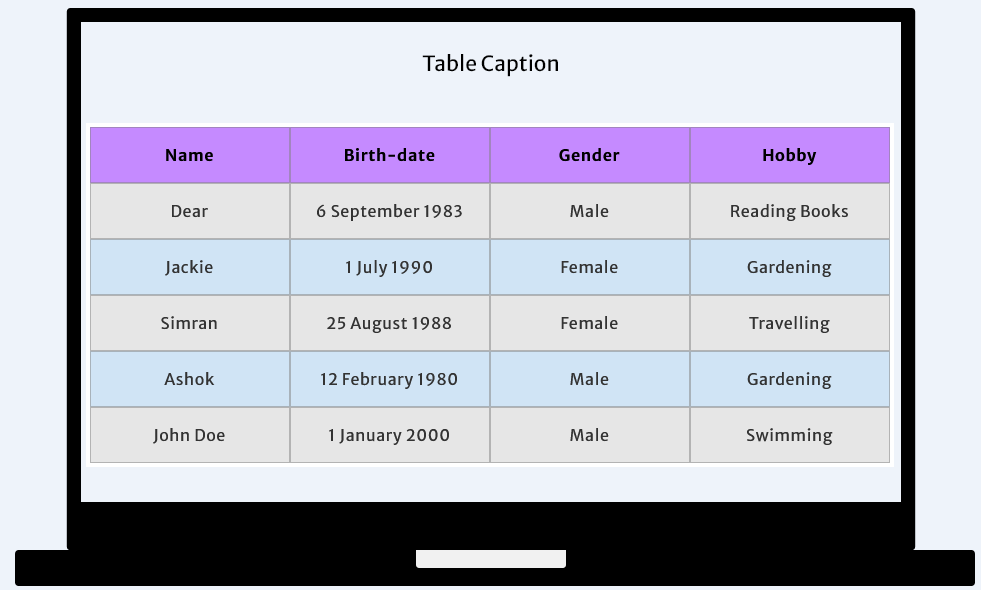
Instead of forcing you to rebuild your tables from scratch using complicated tools, this PlugIn targets pre-existing or new tables built with the Classic Editor, Gutenberg (Block Editor), or raw HTML, and automatically enhances them. Automatically convert all normal pre-existing or new Classic, or Gutenberg, or HTML tables into fully Responsive Tables with Sortable Headers and Sticky-Header options. Build or edit tables directly within your Post, Page, or Product editor. Adjust Settings for additional customization and control.
Smartest 4 Features for WordPress Tables
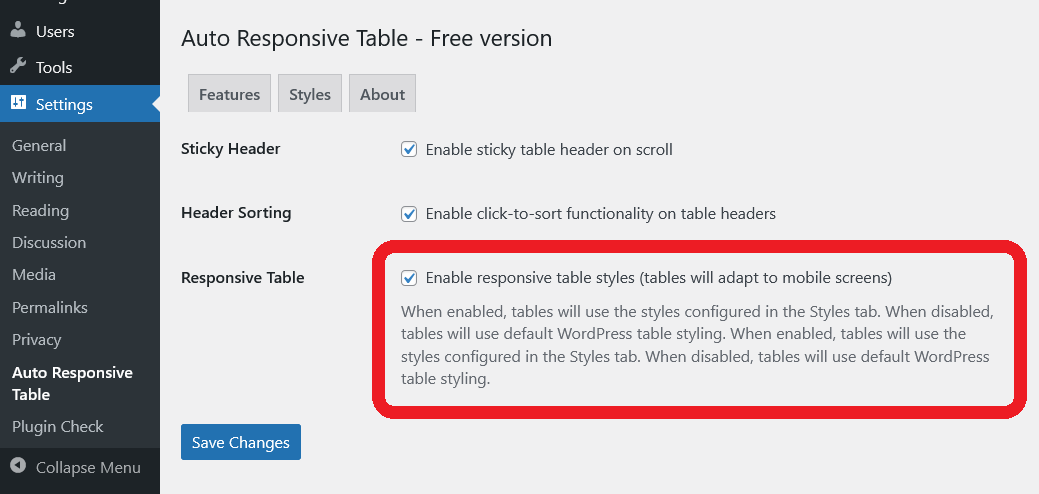
- Responsive Table: Automatically adjusts tables to fit any screen size, ensuring optimal readability on mobile, tablet, and desktop devices. Standard HTML tables often overflow on mobile screens. This PlugIn automatically forces tables to adapt dynamically to smaller screen sizes (like smartphones and tablets) so the text stays readable and the layout doesn’t break your site’s design.
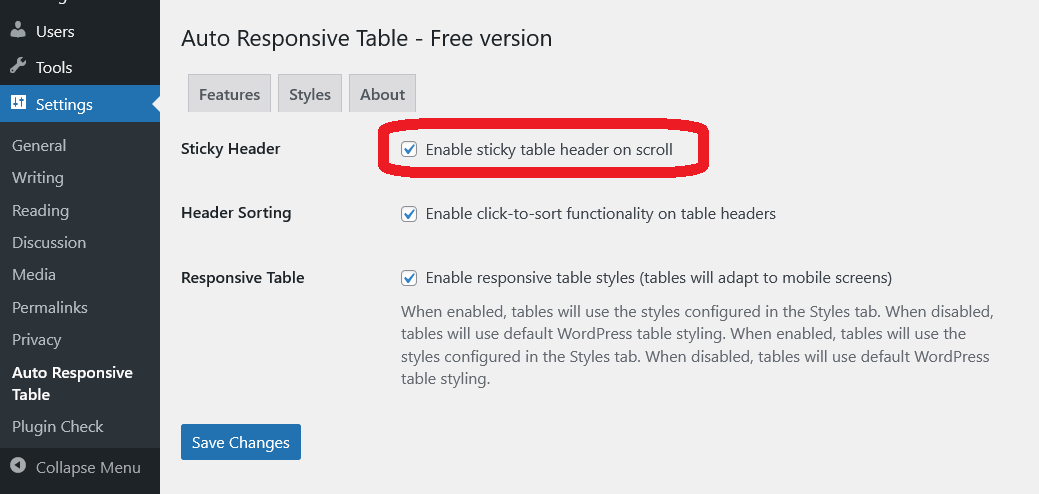
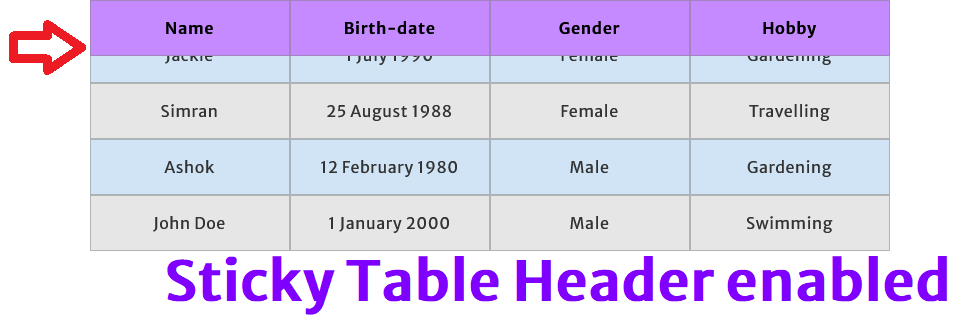
- Sticky Table Head: If a Table is too long with too many rows, then some users forget context of what each column represents. So, you should lock table headers. This PlugIn keeps table header visible while user scrolls the table, and it helps users maintain context without forgetting what each column represents.
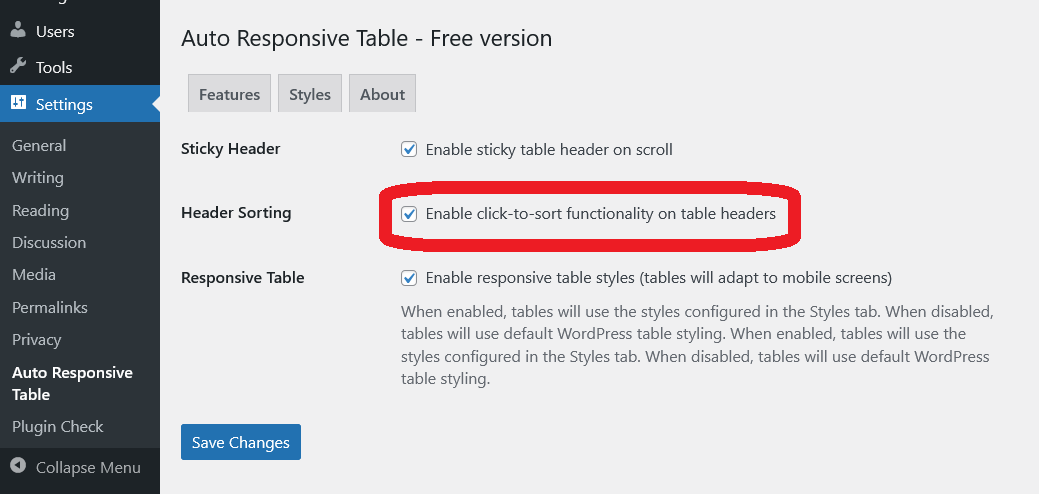
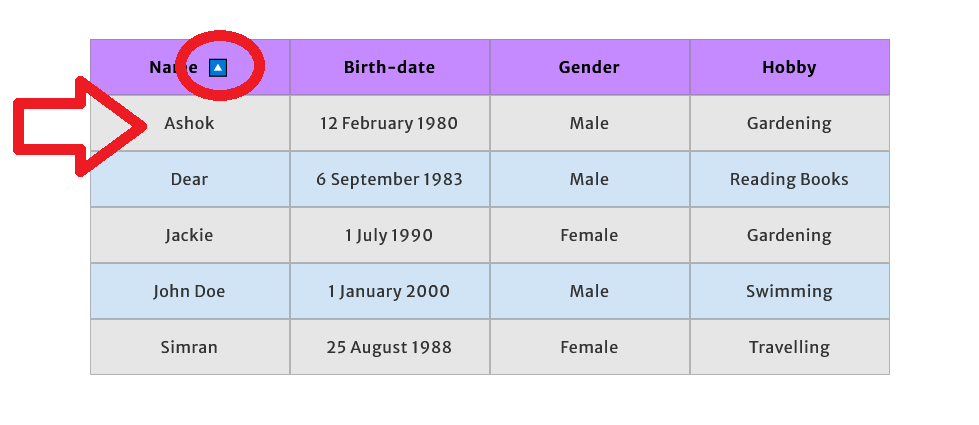
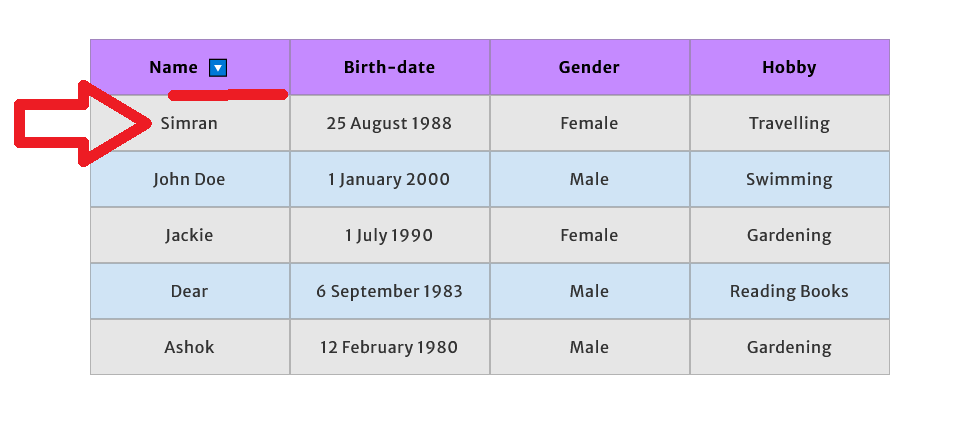
- Table Header Sortability: Enable header sorting functionality for your tables as needed. It adds interactivity by allowing visitors to click on a column header to sort the data (alphabetically or numerically), which is incredibly useful for data-heavy charts or product lists.
- Customize Styles: There are many popular table PlugIns where you have to build tables in a separate dashboard and paste a shortcode [table id=1] into your post, but this PlugIn does not have that sort of problems at all. This PlugIn works directly on the tables you type into your page or post editor. You can also customize the desktop and mobile CSS styles right from the PlugIn’s settings page.
Video Preview
Why is this PlugIn best?
Direct Editing: Use the Classic or Gutenberg editor to create and edit tables directly in Page or Post or Product. Tables are styled and functional without additional markup or complicated workflows.
No Shortcode Hassles: Skip the extra steps, as tables are styled and responsive without additional markup. But you have your freedom to custimize the default styles.
Cross Browser Compatibility: Whether you are on a desktop, laptop, tablet, or smartphone, this PlugIn works smoothly with almost every leading browser, including Chrome, Firefox, Edge, Safari, Opera, and Brave.
QC Passed: Tested to work with commonly used Themes and PlugIns.
Lightweight and Fast: The PlugIn takes very low space in hosting, and optimized to load quickly and use minimal server resources.
Are you happy?
You are requested to provide positive review in WordPress.org with some extra clicks to share this PlugIn in your social network
Looking for something special? Buy Pro
You may enable all three
- Responsive Table
- Sticky Table Head
- Table Header Sortability
options, any two, or a single one via the settings. In the free version, these specified modifications will apply uniformly across all Tables of your WordPress website. This is healthy for small websites. But if your website has lots of posts and pages, with lots of tables, you should consider upgrading to Pro. The Pro version allows control to turn On or Off these “Sticky Table Head, Header Sorting, Responsive” options directly at the individual page, post, or product level. Even you can customize “Desktop CSS Styles of Tables” and “Mobile CSS Styles of Tables” at individual page, post, or product level.
Buy WordPress PlugIn for Auto Responsive Table with Sticky Table Head, Header Sorting and Table CSS Style Customization from trusted marketplace Gumroad.
Thank you
Tawhidur Rahman Dear
- Dear IT Solution : IT Consultancy, Web and App Development, AdSense, SEO, Graphic Design, Password Recovery and Security, Online Marketing, Corporate Services
- Dear Store : WordPress PlugIn, JavaScript, CSS Code, Blogger Theme, Desktop Software for Windows
- Dear Apps Corner : More than 60 Android Apps to make your life beautiful
Installation
Download this free WordPress.org PlugIn, and
Step 1. Open your WordPress Admin Dashboard, click “Add New” in PlugIns section. Now click on “Upload PlugIn”. Select the downloaded package, now click on “Install Now”. Click on “Activate PlugIn” to activate the PlugIn.
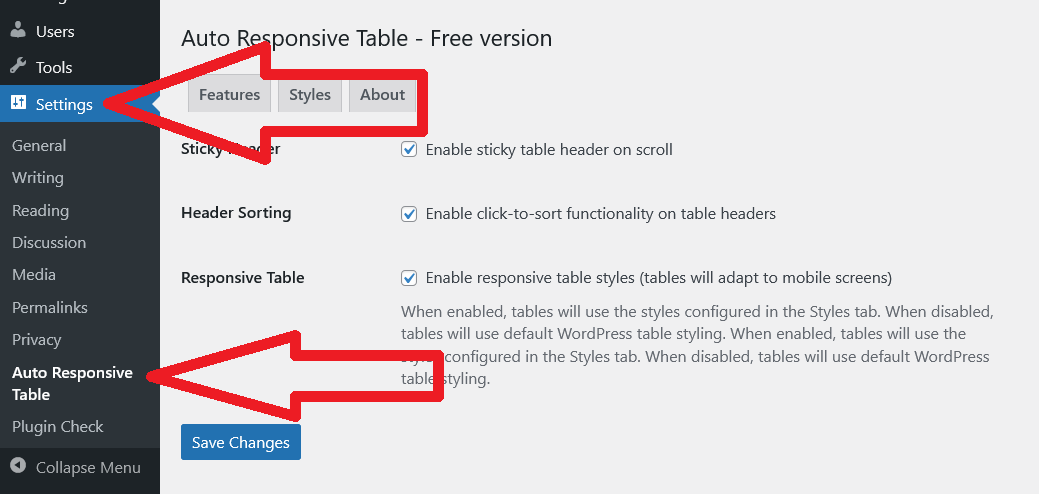
Step 2. Go to “Settings” page to turn On or Off the Features. You may read online Documentation for WordPress PlugIn for Auto Responsive Table with Sticky Table Head, Header Sorting and Table CSS Style Customization here.
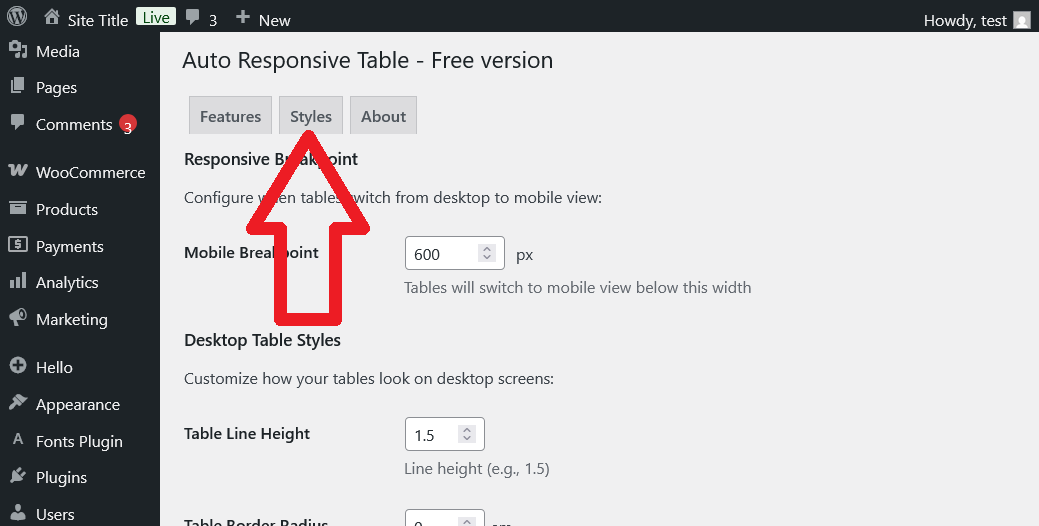
Step 3. Click on “Styles” tab to adjust CSS styles.
Step 4. Use Classic or Gutenberg editor’s Table Block to create a table in your Page, or Post, or Product.
Step 5. Check on the browser.
Änderungsprotokoll
3.0
- Now WordPress admin can edit styles from Settings page. Updated on 4 March 2026
1.0
- Released first on 9 December 2024
Screenshots
Für Entwickler
Ist das dein Plugin? Zeigen Sie die Zahlen.
Fügen Sie Ihrer Website, Docs oder GitHub Readme ein Live-Badge hinzu. Es wird von selbst aktualisiert - kein Konto erforderlich.
Fragen und Antworten
Auto Responsive Table: quick answers
Gerade Antworten, gezogen von Live WordPress.org Daten.
Quelle: WordPress.org
Is Auto Responsive Table free?
Yes. Auto Responsive Table is free to download and use from the official WordPress.org plugin directory. The developer also sells premium add-ons or a Pro version with extra features.
Is Auto Responsive Table safe to use in 2026?
Auto Responsive Table works, but test it on a staging site before relying on it in 2026. It runs on 30+ sites and was last updated 6 months ago, and scores 52/100 on our health check.
How many websites use Auto Responsive Table?
Auto Responsive Table is active on 30+ WordPress websites and has been downloaded 1,646 times since it launched in December 2024. It was downloaded 143 times in the last 30 days.
Does Auto Responsive Table work with WordPress 7.1?
Auto Responsive Table is officially tested up to WordPress 7.0.9, while the latest release is 7.1.5. It may still work, but try it on a staging site first.
What PHP version does Auto Responsive Table need?
Auto Responsive Table requires PHP 7.4 or higher. Most hosts run PHP 8.x today, so it works on any modern WordPress hosting.
When was Auto Responsive Table last updated?
The latest version, 3.0, was released on June 3, 2026 (6 months ago).
Who makes Auto Responsive Table?
Auto Responsive Table is developed and maintained by Dear.
Angetrieben von PageForge
Eine Vorlage und eine Tabelle. Eine echte Seite für jede Suche.
PageForge Verwandelt jede Zeile eines CSV in eine WordPress-Seite mit eigenem Titel, URL, SEO Felder und Schema entworfen. Kostenlos auf WordPress.org.
- CSV und XLSX, plus Google Sheets auf Beruf und Unternehmen
- seinen eigenen Titel, URL, SEO Felder und Schema für jede Seite
- Arbeitet mit dem Blockeditor, Elementor, Divi und Avada
- Kostenlos auf WordPress.org, keine Kreditkarte