


aDirectory – WP Business Directory Plugin and Classified Ads Listings Directory
aDirectory is a lightweight, scalable, fast WordPress directory plugin for building any type of directories, classifieds, and job boards websites.

Consider an alternative
aDirectory shows warning signs in 2026 — compare the alternatives below before installing. It runs on 200+ sites, is rated 4.7/5 and was last updated 8 months ago, and scores 41/100 on our health check.
- Momentum — downloads up 16.1% vs the previous 30 days
- Small user base (200+ active installs)
- Only tested up to WordPress 6.9 (latest is 7.1)
How does it stack up?
Side-by-side on installs, updates, ratings & support



Daily downloads
Download spikes usually follow a new release — each site that auto-updates counts as a download.
Rankings
Where aDirectory stands todayWordPress.org search rankings
Live position in the plugin search, top 100| Keyword | Position |
|---|---|
| business directory | #21 |
| classified ads | #13 |
| directory listing | #26 |
| directory plugin | #41 |
| listing | #61 |
Version adoption
Share of active sites per release.
Rating breakdown
★★★★★★★★★★ 4.7 from 15 reviews
About aDirectory
From the official readme · v3.1.6Description
Building a directory or classified ad website shouldn’t be complicated. Yet for many, finding a plugin that combines flexibility, ease of use, and powerful monetization options in one place feels impossible.
When managing listings, user submissions, and payment plans — you need a tool that’s simple to start with and scalable as your site grows.
That’s where aDirectory comes in. It’s a complete, modern, and intuitive WordPress directory plugin built for creating professional directory websites and classified ad platforms.
Whether it’s a business directory, property listing, restaurant guide, hotel directory, or classified ads portal — aDirectory offers everything you need to launch and grow with confidence.
Docs | Themes | Addons | Roadmap
Why Choose aDirectory?
Creating a scalable, high-performing WP Directory plugin shouldn’t be complicated or expensive. aDirectory is built for both beginners and developers — offering a robust, WordPress company directory plugin that delivers everything you need to launch and manage a thriving listing site.
From frontend listing submissions, advanced filtering, OpenStreetMap integration, and customizable forms to flexible monetization options — it’s the all-in-one toolkit for building any type of business listing plugin WordPress site or WordPress classifieds plugin.
No coding? No problem. Customizable via Elementor, aDirectory comes packed with drag-and-drop controls, shortcodes, and widgets. Whether you’re creating a WordPress business directory plugin, a job listing plugin WordPress, or a WordPress membership directory plugin, aDirectory adapts to your vision effortlessly.
Be Part of Our Ecosystem
👉 Join aDirectory Facebook Community
👉 Subscribe to Our YouTube Channel
👉 Need Help? Contact Support
Core Features at a Glance
✔️ Multi-CPT Support
Easily create and manage multiple custom post types (CPTs) within a single platform. Each directory type is fully optimized for fast queries, allowing your site to handle large amounts of data efficiently while keeping everything organized.
✔️ Clean Permalinks
Permalinks are structured for clarity, SEO, and user-friendliness. Clean URLs make it easier for visitors to navigate your directories, improve search engine ranking, and enhance the overall user experience.
✔️ Organized Directories
All directories are neatly structured for efficient management and accessibility. You can quickly sort, filter, and organize listings, ensuring your site remains professional and easy to maintain as it grows.
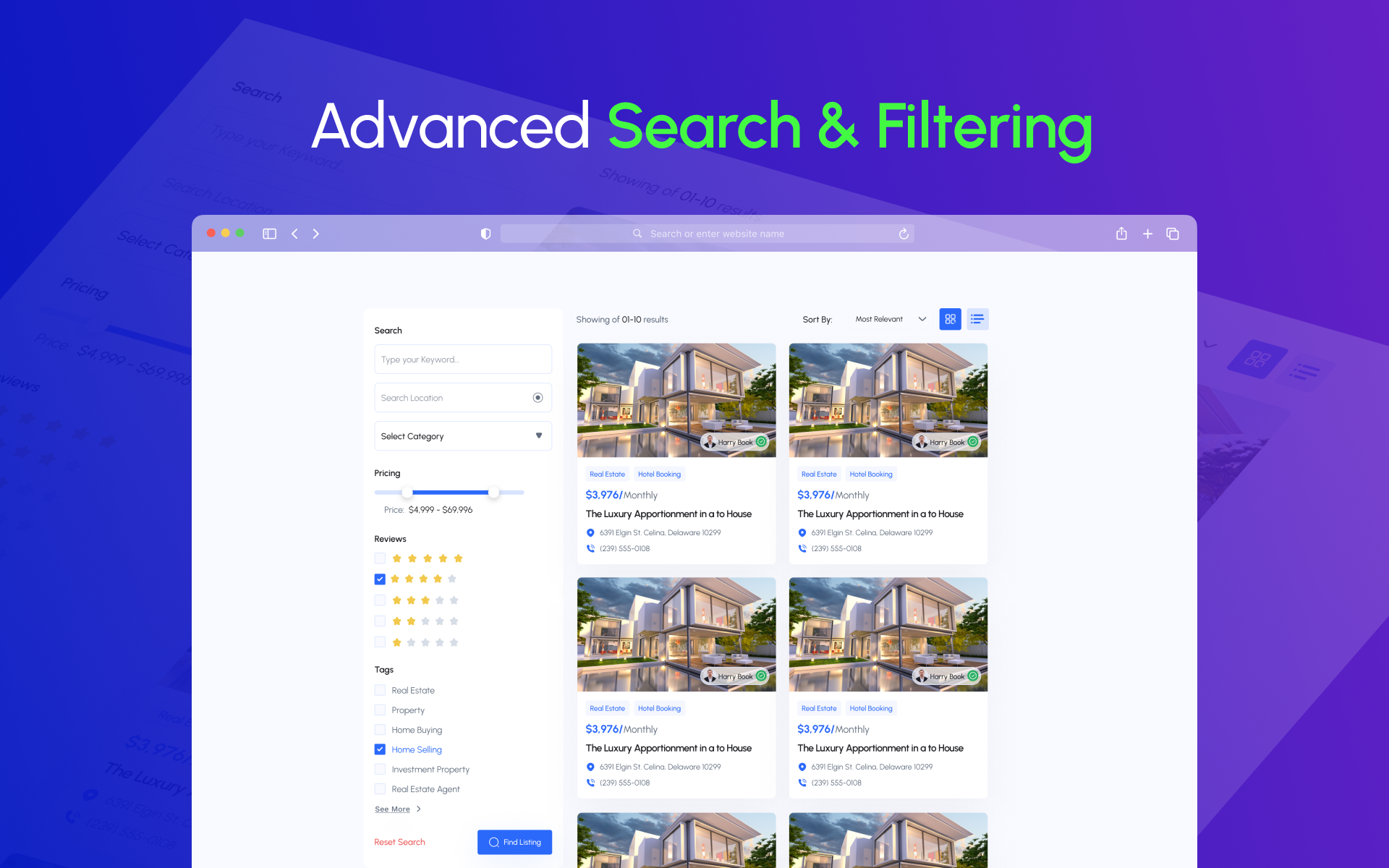
✔️ Dedicated Search Widget
Each directory comes with its own dedicated search widget, providing precise results tailored to that specific directory. Visitors can quickly find what they’re looking for using advanced filters and search options.
✔️ Social Media Link Fields
Display social media links for each listing in a professional and intuitive way. Multiple platforms are supported, allowing your users to connect seamlessly and enhancing the credibility of your directory listings.
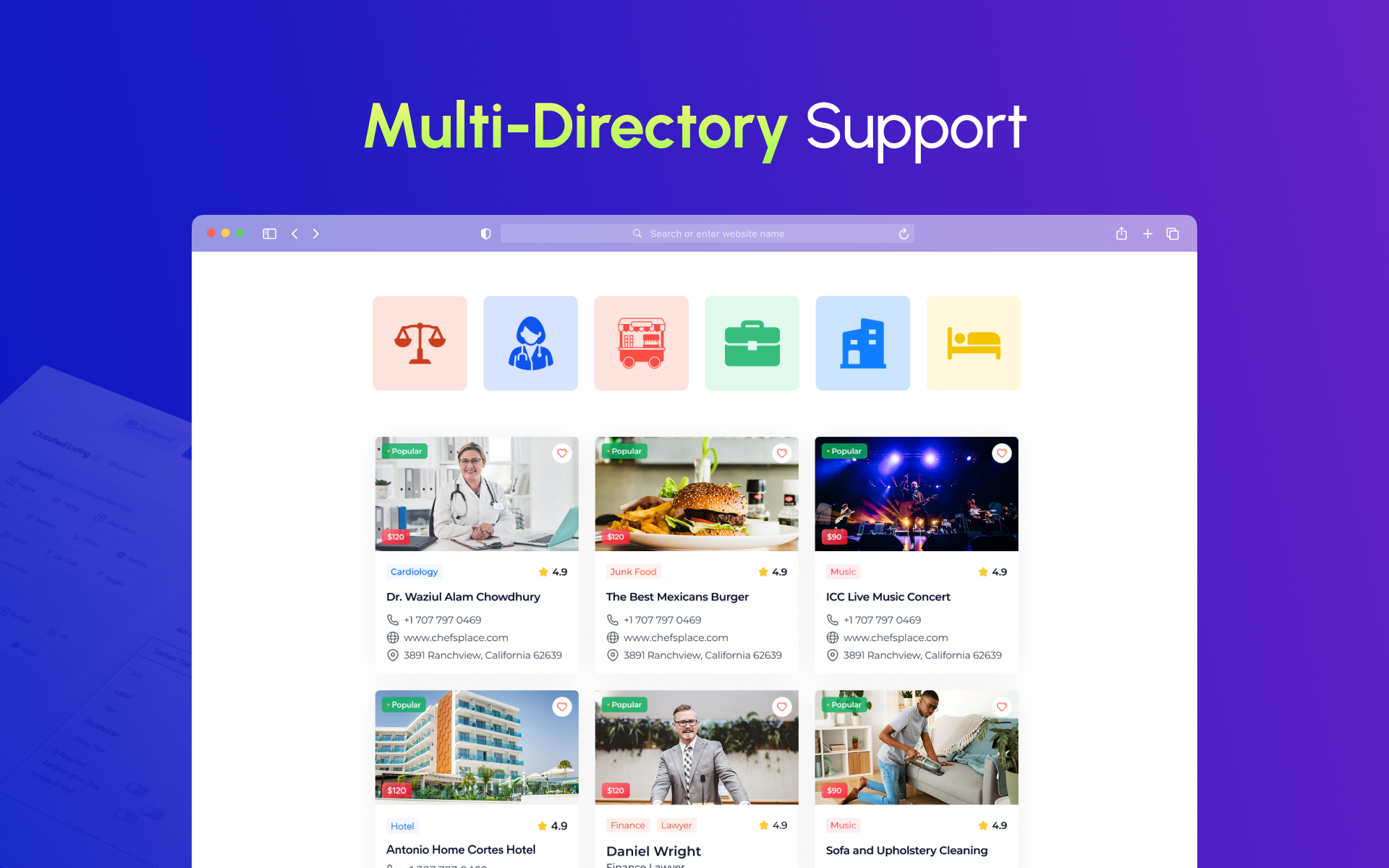
✔️ Multi-Directory Support
Create unlimited directories under one WordPress business listing plugin installation. Run business directories, job boards, property listings, event calendars, and classified ads website builder setups — each with unique custom fields and configurations.
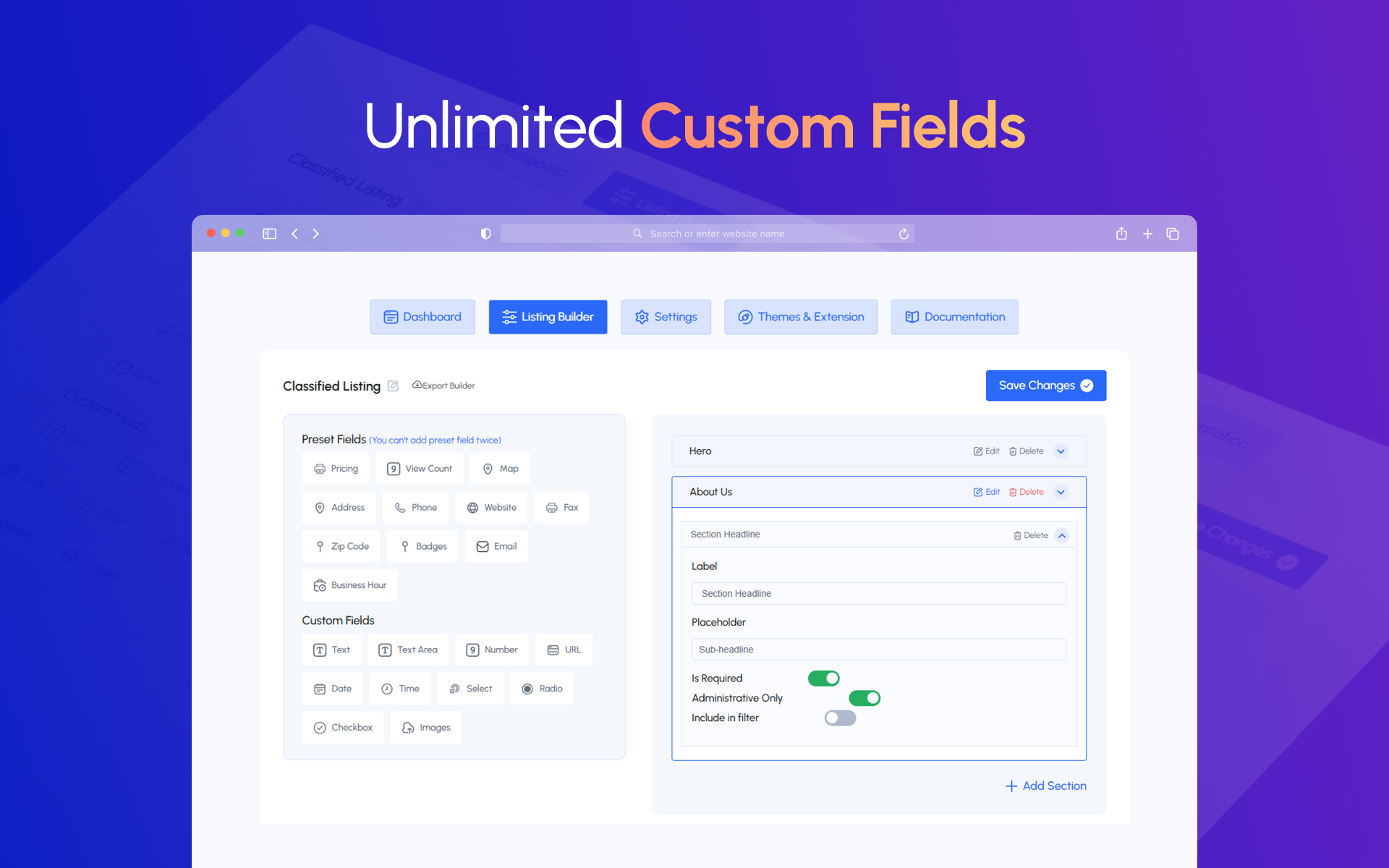
✔️ Unlimited Custom Fields
Easily add text inputs, dropdowns, checkboxes, file uploads, URLs, ratings, and more to your WordPress directory listing plugin forms. Control the data you collect and how it’s displayed with complete freedom.
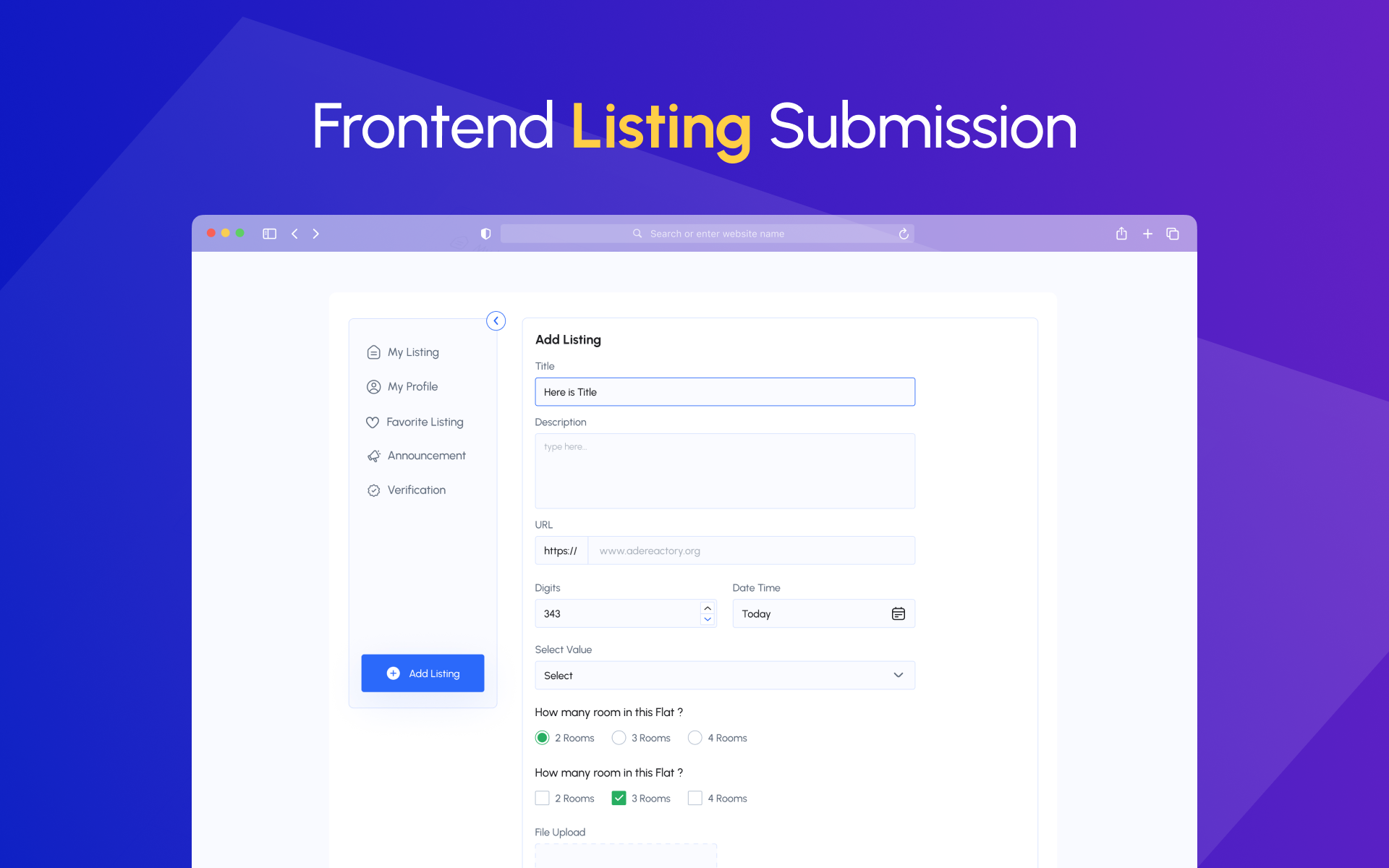
✔️ Frontend Submission & User Dashboard
Let visitors submit and manage listings through a sleek frontend dashboard. Ideal for business directory software platforms where users can track submissions, payments, and renewals without backend access.
✔️ OpenStreetMap
Display listings on built-in OpenStreetMap, enjoy location-based WordPress best directory plugin experiences without extra cost.
✔️ AJAX-Powered Search & Filters
Deliver instant, dynamic search results using AJAX-based filters by location, category, price, or custom fields — a must-have for any serious directory builder.
✔️ Listing Galleries & Video Listings
Let users showcase image sliders and embed video tours. Perfect for classified ads website builder platforms, and business showcases.
✔️ Email Notifications & Social Sharing
Automatic alerts for submissions, approvals, and expirations — with social share options for Facebook, Twitter, WhatsApp, and more.
✔️ SEO-Optimized & Translation Ready
Fine-tune meta titles and descriptions for every listing. Fully compatible with popular SEO tools and multilingual plugins like WPML and Polylang — making it a top-tier WordPress business directory solution.
Monetization Features
✔️ Paid Listings & Pay Per Submit
Charge users to post listings or submit them individually, monetizing both free and premium WordPress business directory plugin setups.
✔️ Featured Listings & Badges
Promote listings with ‘Featured’, ‘Verified’, and ‘Popular’ badges, boosting visibility in search results on your best directory plugin WordPress-powered website.
✔️ Pricing Plans & Subscriptions (Pro)
Offer flexible plans with one-time or recurring payment options via WooCommerce and Stripe — ideal for WordPress classifieds plugin setups and WP classifieds plugin-powered marketplaces.
✔️ Coupons & Discounts (Pro)
Attract new customers with promotional coupons for listing plans — a great feature for growing any directory plugin, WordPress free or premium installation.
Available Premium Addons
- Stripe Payment Gateway
- WooCommerce Integration
- Pricing Plans & Subscriptions
- Compare Listings
- Business Hours Display
- Social Login Integration
- Mailchimp Integration
- Verification Badge
- aDirectory Coupon
- Claim Listing Addon
- Badges Addon
- Divi Builder Addon
- Currency Switcher Addon
- More on the way
These tools enhance your website builder directory projects, giving you the flexibility to run everything from local business directories to member directory WordPress plugin-powered membership platforms.
Developer-Friendly
✔️ Custom Hooks & Filters
Easily extend the WordPress listing plugin functionality using WordPress action and filter hooks.
✔️ Template Override System
Customize the look and feel of your WordPress directory listing plugin without touching core files.
✔️ WPML Compatible
Build multilingual, location-based directories with ease, supporting business directory WP plugin installations for global audiences.
aDirectory Niche Specific Directory Themes
Get started fast with directory-ready themes designed for aDirectory:
- Fodstar (Free) – Restaurant directory theme for WordPress free
- Fodstar PRO – Premium restaurant directory theme
- Bizlist PRO – Business directory theme
- Aanir PRO – Property listing directory theme
- Hotelsun PRO – Hotel directory theme
- Doclist PRO – WordPress doctor listing directory theme
- Advoco PRO – Lawyer listing theme for WordPress
Seamless Integrations
- Elementor: Full support for drag-and-drop page building with aDirectory widgets.
- OpenStreetMap: Free mapping option for displaying listing locations.
- WooCommerce: Use WooCommerce to process payments for listings and pricing packages.
- Mailchimp: Build and manage your subscriber lists.
- Stripe: Secure payment gateway for listing submissions and subscriptions.
These integrations turn aDirectory into the best WordPress directory plugin for both beginners and advanced users.
Resources
👉 Official Documentation
👉 Directory Themes
👉 Plugin Addons
👉 Product Roadmap
👉 Support Portal
Privacy Policy
aDirectory – Directory Listing WordPress Plugin uses Appsero SDK to collect some telemetry data upon user’s confirmation. This helps us to troubleshoot problems faster & make product improvements.
Appsero SDK does not gather any data by default. The SDK only starts gathering basic telemetry data when a user allows it via the admin notice. We collect the data to ensure a great user experience for all our users.
Integrating Appsero SDK DOES NOT IMMEDIATELY start gathering data, without confirmation from users in any case.
Learn more about how Appsero collects and uses this data.
Installation
-
Download the plugin from WordPress.org or install it directly from your WordPress admin dashboard.
-
Go to Plugins > Add New, search for “aDirectory”, and click Install Now.
-
Activate the plugin through the ‘Plugins’ menu in WordPress.
-
Navigate to aDirectory Settings to configure general options, submission forms, and monetization settings.
-
Create listing categories and locations from aDirectory > Categories and aDirectory > Locations.
-
Use shortcodes or Elementor widgets to display your directories on any page.
Done — your directory site is live and ready to start earning!
Changelog
= 3.1.6 (2026-4-02)
** Update **
– Added Frontend Listing Success Page
– Fixed Redirect Issue
– Fixed frontend add listings with plan
= 3.1.5 (2026-3-28)
** Update **
– New currency update
= 3.1.4 (2026-3-26)
** Update **
– Business hour & email input field issue fix.
= 3.1.3 (2026-3-15)
** Update **
– User review system update
= 3.1.2 (2026-3-14)
** Update **
– User review system update
3.1.1 (2025-12-18)
** Updated **
– User dashboard CSS has been improved.
3.1.0 (2025-12-09)
** Added **
– Add support for importing listing tags from CSV
– Introduced a new onboarding setup wizard that simplifies initial setup and makes demo content import effortless.
3.0.5 (2025-12-03)
** Fixed **
– Backend taxonomy metabox style fix
– Svg loding issue fixed
3.0.4 (2025-11-26)
** Fixed **
– Author permission check on userdashboard
3.0.3 (2025-11-24)
** Added **
– Added metabox in Quick Edit for updating listings
– Dynamic video input now supports YouTube, Vimeo, and file-type videos such as mp4, m4v, webm, ogv, wmv
– Added shortcode support in the textarea field
** Fixed **
– Fixed never expire issue on backend listings
– Fixed assigning term with zero ID
– Removed parent selection option for Categories and Locations
– Fixed WP Widgets directory type issues
3.0.2 (2025-11-14)
** Fixed **
– Notice issue fixed for new installation
– Admin dashboard spacing css updated.
Screenshots


For developers
Is this your plugin? Show off the numbers.
Add a live badge to your site, docs or GitHub README. It updates on its own — no account needed.
Best aDirectory alternatives
All business directory plugins →





FAQ
aDirectory: quick answers
Straight answers, pulled from live WordPress.org data.
Source: WordPress.org
Is aDirectory free?
Yes. aDirectory is free to download and use from the official WordPress.org plugin directory.
Is aDirectory safe to use in 2026?
aDirectory shows warning signs in 2026 — compare the alternatives below before installing. It runs on 200+ sites, is rated 4.7/5 and was last updated 8 months ago, and scores 41/100 on our health check.
How many websites use aDirectory?
aDirectory is active on 200+ WordPress websites and has been downloaded 26,004 times since it launched in July 2024. It was downloaded 585 times in the last 30 days.
Does aDirectory work with WordPress 7.1?
aDirectory is officially tested up to WordPress 6.9.12, while the latest release is 7.1.5. It may still work, but try it on a staging site first.
What PHP version does aDirectory need?
aDirectory requires PHP 7.4 or higher. Most hosts run PHP 8.x today, so it works on any modern WordPress hosting.
When was aDirectory last updated?
The latest version, 3.1.6, was released on April 6, 2026 (8 months ago).
Who makes aDirectory?
aDirectory is developed and maintained by aDirectory.
What are the best alternatives to aDirectory?
The most popular alternatives to aDirectory are Directorist: AI-Powered Bus… (20K+ installs), GeoDirectory (10K+ installs) and HivePress (10K+ installs).
Powered by PageForge
One template and a spreadsheet. A real page for every search.
PageForge turns each row of a CSV into a WordPress page with its own title, URL, SEO fields and schema, built on the layout you already designed. Free on WordPress.org.
- CSV and XLSX, plus Google Sheets on Professional and Enterprise
- Its own title, URL, SEO fields and schema for every page
- Works with the block editor, Elementor, Divi and Avada
- Free on WordPress.org, no credit card